How to set WEBUI_SECRET_KEY in Open WebUI
Open WebUI uses WEBUI_SECRET_KEY to sign login tokens and protect OAuth-related session data. A fixed key matters when a Docker or Compose deployment is recreated, moved to another host, or scaled behind more than one worker, because a new signing key can log users out or prevent stored OAuth and MCP tokens from decrypting.
Open WebUI can generate a key automatically and save it inside the data directory for a single instance. An explicit environment value is easier to audit, back up, and provide to every replica that shares the same database or data volume.
Set the key before users sign in whenever possible. Changing it later is a key rotation event: existing browser sessions are invalidated, and integrations that depend on encrypted OAuth or MCP token data may need reauthorization. For scaled deployments, keep related OAuth encryption keys consistent across replicas when they are configured separately from WEBUI_SECRET_KEY.
Steps to set WEBUI_SECRET_KEY for Open WebUI with Docker Compose:
- Change into the Open WebUI Compose project directory.
$ cd ~/open-webui
- Generate a new 64-character hex key for a new deployment or a planned rotation.
$ openssl rand -hex 32
<generated-64-character-hex-secret>
Use the fresh value from your own terminal. Do not paste the real key into tickets or screenshots, or rotate the key on a live deployment without expecting user sessions to be invalidated.
- Store the key in the Compose environment file.
OPEN_WEBUI_PORT=3000
WEBUI_SECRET_KEY=replace-with-the-secret-from-openssl
If the deployment already has users, reuse the existing WEBUI_SECRET_KEY when it is known. Replacing an unknown auto-generated key with a new value is still a rotation and can break existing sessions or encrypted OAuth-backed integrations.
- Reference the environment value from the Open WebUI service.
services:
  open-webui:
    image: ghcr.io/open-webui/open-webui:main
    ports:
      - "${OPEN_WEBUI_PORT:-3000}:8080"
    environment:
      WEBUI_SECRET_KEY: "${WEBUI_SECRET_KEY:?set WEBUI_SECRET_KEY in .env}"
    volumes:
      - open-webui:/app/backend/data

volumes:
  open-webui:
Merge the environment entry into the existing service instead of replacing other settings such as model provider URLs, database URLs, or reverse-proxy values. Use the same WEBUI_SECRET_KEY for every replica that shares the same Open WebUI data store.
- Confirm that Docker Compose still reads the Open WebUI service.
$ docker compose config --services
open-webui
This check avoids printing the secret value. For larger env files, review the required variable list and deployment snapshot before recreating the service.
Tool: Environment Variable Inventory Checker - Recreate Open WebUI so the process receives the environment value.
$ docker compose up -d --force-recreate --wait open-webui
[+] Running 1/1
 ✔ Container open-webui-open-webui-1  Healthy
If the installed Compose plugin does not support --wait, run docker compose up -d --force-recreate open-webui and use the health check in a later step after the container starts.
- Confirm that the running container has WEBUI_SECRET_KEY without printing the value.
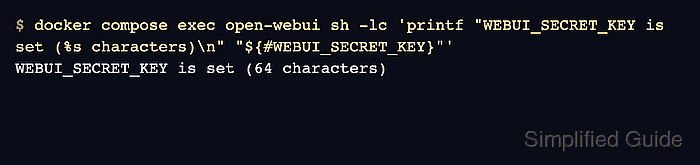
$ docker compose exec open-webui sh -lc 'printf "WEBUI_SECRET_KEY is set (%s characters)\n" "${#WEBUI_SECRET_KEY}"' WEBUI_SECRET_KEY is set (64 characters) - Request the Open WebUI health endpoint through the published port.
$ curl -fsS http://127.0.0.1:3000/health {"status":true} - Recreate the service a second time without changing the env file.
$ docker compose up -d --force-recreate --wait open-webui
[+] Running 1/1
 ✔ Container open-webui-open-webui-1  Healthy
- Confirm that the same configured key is still supplied after the recreate.
$ docker compose exec open-webui sh -lc 'printf "WEBUI_SECRET_KEY is set (%s characters)\n" "${#WEBUI_SECRET_KEY}"'
WEBUI_SECRET_KEY is set (64 characters)
A private smoke test with an already signed-in browser session or protected API request should continue to work after a same-key recreate. Do not copy browser JWTs, API keys, OAuth tokens, or real secret values into shared logs while checking that behavior.