How to run Open WebUI with Docker
A first Open WebUI instance often starts as one Docker container on a workstation or small server before a larger Compose setup is needed. The container listens on port 8080 inside the image, while Docker publishes that service on a host port such as 3000.
The official image stores users, chats, settings, uploads, and runtime data under /app/backend/data. Mounting a named Docker volume at that path keeps the data outside the disposable container layer so the container can be restarted or recreated without erasing the instance.
The run command uses a small env file for WEBUI_SECRET_KEY so the secret is not typed directly into the container command. Keep the same key and the same named volume when recreating the container, because changing the key can invalidate sessions and encrypted integration data.
Related: How to run Open WebUI with Docker Compose
Related: How to update Open WebUI in Docker
Related: How to set WEBUI_SECRET_KEY in Open WebUI
Steps to run Open WebUI with Docker:
- Create a local directory for the Open WebUI env file.
$ mkdir -p ~/open-webui
- Change into the directory.
$ cd ~/open-webui
- Create the env file with a generated WEBUI_SECRET_KEY.
$ printf 'WEBUI_SECRET_KEY=%s\n' "$(openssl rand -hex 32)" > open-webui.env
The command writes the secret to open-webui.env without printing it in the terminal. Reuse the same value when the container is recreated for updates, backup tests, or host moves.
Related: How to set WEBUI_SECRET_KEY in Open WebUI - Restrict the env file permissions.
$ chmod 600 open-webui.env
- Pull the current Open WebUI image.
$ docker pull ghcr.io/open-webui/open-webui:main
main: Pulling from open-webui/open-webui
Digest: sha256:a26effeb220e132482bf7e0560b3404843e7bc40d23051144e062960df8df6b0
Status: Image is up to date for ghcr.io/open-webui/open-webui:main
ghcr.io/open-webui/open-webui:main
The exact digest changes when the main tag is updated. Pin a version tag instead of main when repeatable production rollbacks matter.
- Start the Open WebUI container.
$ docker run --detach \
  --name open-webui \
  --publish 3000:8080 \
  --env-file open-webui.env \
  --mount type=volume,source=open-webui,target=/app/backend/data \
  --restart unless-stopped \
  ghcr.io/open-webui/open-webui:main
<container-id>
The named volume open-webui stores the backend data, and the restart policy starts the container again after Docker or the host restarts.
- Check the container status.
$ docker ps --filter 'name=^/open-webui$'
CONTAINER ID   IMAGE                                COMMAND           CREATED          STATUS                    PORTS                                         NAMES
00a28f4df1e6   ghcr.io/open-webui/open-webui:main   "bash start.sh"   55 seconds ago   Up 52 seconds (healthy)   0.0.0.0:3000->8080/tcp, [::]:3000->8080/tcp   open-webui
If STATUS still shows (health: starting), wait briefly and run the check again. Use docker logs open-webui when the container exits or becomes unhealthy.
Related: How to view Open WebUI Docker logs - Confirm that the persistent volume exists.
$ docker volume ls --filter 'name=^open-webui$'
DRIVER    VOLUME NAME
local     open-webui
Do not remove the open-webui volume unless the instance data is no longer needed.
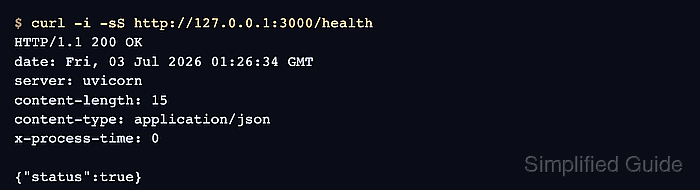
- Request the Open WebUI health endpoint.
$ curl -i -sS http://127.0.0.1:3000/health
HTTP/1.1 200 OK
date: Fri, 03 Jul 2026 01:26:34 GMT
server: uvicorn
content-length: 15
content-type: application/json
x-process-time: 0

{"status":true}
Open http://localhost:3000 in a browser after the health endpoint returns {"status":true}. On a fresh instance, the first account created becomes the initial administrator.