How to view Open WebUI Docker logs
Open WebUI writes backend startup, migration, request, and provider activity to the container's standard output and error streams. Reading those streams through Docker helps confirm that the service started, identify recent API requests, and capture warnings tied to model, login, or provider checks.
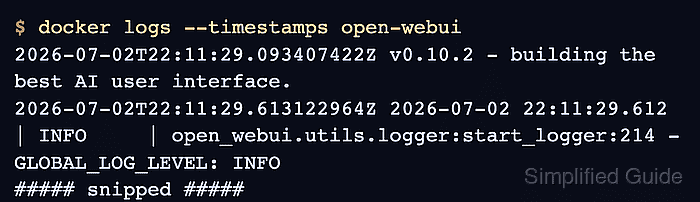
Docker exposes those streams through docker logs when the container uses a readable logging driver. The official Open WebUI Docker run example names the container open-webui, while Compose deployments can create a longer generated container name for the same service.
Start with a bounded recent view so old migration output does not bury the event being investigated. Use follow mode only while reproducing the symptom, then leave the live stream with Ctrl-C after the relevant line appears.
Steps to view Open WebUI Docker logs:
- List the running Open WebUI container.
$ docker ps --filter name=open-webui
CONTAINER ID   IMAGE                                COMMAND           CREATED       STATUS                 PORTS                    NAMES
0eca771494f7   ghcr.io/open-webui/open-webui:main   "bash start.sh"   3 hours ago   Up 3 hours (healthy)   0.0.0.0:3000->8080/tcp   open-webui
If the instance was started with Docker Compose, the container name can look like open-webui-open-webui-1. Run the log commands against that container name, or run docker compose logs --tail 80 --timestamps open-webui from the Compose project directory.
- Print recent timestamped log entries.
$ docker logs --tail 8 --timestamps open-webui
2026-07-03T00:11:02.758375672Z 2026-07-03 00:11:02.758 | INFO     | open_webui.routers.ollama:get_all_models:366 - get_all_models()
2026-07-03T00:11:03.002747714Z 2026-07-03 00:11:03.002 | INFO     | uvicorn.protocols.http.httptools_impl:send:483 - 192.0.2.10:16704 - "GET /api/models HTTP/1.1" 200
2026-07-03T00:11:06.210869049Z 2026-07-03 00:11:06.210 | INFO     | uvicorn.protocols.http.httptools_impl:send:483 - 192.0.2.10:16704 - "POST /api/chat/completions HTTP/1.1" 200
2026-07-03T00:11:06.230138007Z 2026-07-03 00:11:06.229 | INFO     | uvicorn.protocols.http.httptools_impl:send:483 - 192.0.2.10:16704 - "GET /api/v1/chats/?page=1 HTTP/1.1" 200
2026-07-03T00:11:54.395894793Z 2026-07-03 00:11:54.393 | INFO     | uvicorn.protocols.http.httptools_impl:send:483 - 192.0.2.10:54965 - "GET /api/v1/chats/?page=1 HTTP/1.1" 200
2026-07-03T00:12:02.700376422Z 2026-07-03 00:12:02.699 | INFO     | uvicorn.protocols.http.httptools_impl:send:483 - 192.0.2.10:20278 - "GET /_app/version.json HTTP/1.1" 200
2026-07-03T01:11:14.885966885Z 2026-07-03 01:11:14.885 | INFO     | uvicorn.protocols.http.httptools_impl:send:483 - 192.0.2.10:26198 - "GET /api/version HTTP/1.1" 200
2026-07-03T01:12:24.224002677Z 2026-07-03 01:12:24.223 | INFO     | uvicorn.protocols.http.httptools_impl:send:483 - 192.0.2.10:43791 - "GET /api/version HTTP/1.1" 200
--tail limits the view to the end of the stored log. --timestamps adds the Docker timestamp before the application's own timestamp.
- Limit the log view to a recent time window.
$ docker logs --since 2m --timestamps open-webui
2026-07-03T01:12:24.224002677Z 2026-07-03 01:12:24.223 | INFO     | uvicorn.protocols.http.httptools_impl:send:483 - 192.0.2.10:43791 - "GET /api/version HTTP/1.1" 200
--since accepts relative values such as 2m, 30m, or 3h. Docker prints no lines when the selected window has no matching entries.
- Follow new log entries while reproducing the issue.
$ docker logs --follow --tail 20 open-webui
2026-07-03 01:11:14.885 | INFO     | uvicorn.protocols.http.httptools_impl:send:483 - 192.0.2.10:26198 - "GET /api/version HTTP/1.1" 200
2026-07-03 01:12:24.223 | INFO     | uvicorn.protocols.http.httptools_impl:send:483 - 192.0.2.10:43791 - "GET /api/version HTTP/1.1" 200
^C
--follow keeps the terminal attached to new output. Press Ctrl-C after the startup line, request, warning, or error needed for the ticket appears.
- Check the logging driver when docker logs returns nothing for a running container.
$ docker inspect open-webui
[
  {
##### snipped #####
    "HostConfig": {
      "LogConfig": {
        "Type": "json-file",
        "Config": {}
      }
    }
##### snipped #####
  }
]
The default json-file driver is readable by docker logs. A different driver can change where logs are stored, how long they are retained, or whether docker logs can retrieve older entries.