How to authenticate Ollama API requests
Hosted Ollama API requests use bearer-token authentication when the target is https://ollama.com/api rather than a local server. Local requests to http://localhost:11434 do not need a token, so the first check is always which host the script is calling.
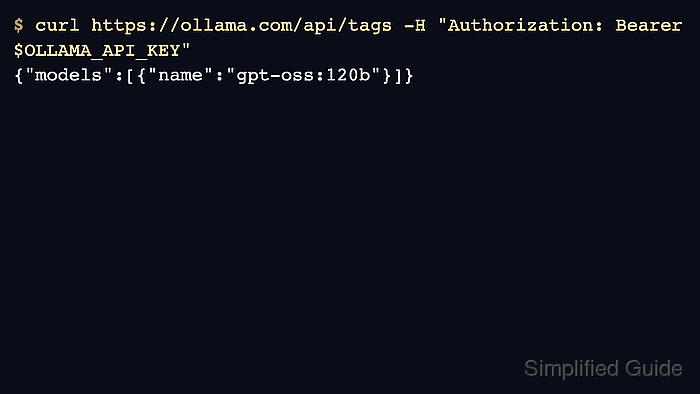
The token belongs in the Authorization header, normally sourced from an OLLAMA_API_KEY environment variable. Keeping the key outside the command body makes shell history, logs, and sample requests easier to sanitize.
Use API keys for direct hosted API access and ollama signin for local CLI commands that automatically authenticate cloud model access. Do not mix the two paths unless the application deliberately talks to both endpoints.
Related: How to sign in to Ollama
Related: How to run an Ollama cloud model
Related: How to generate text with the Ollama API
Steps to authenticate Ollama API requests:
- Confirm whether the request should target the local server or the hosted API.
$ curl -s http://localhost:11434/api/version
{"version":"0.31.1"}
No Authorization header is required for the local endpoint.
- Store the hosted API key in an environment variable for the current shell.
$ export OLLAMA_API_KEY='ollama_********************************'
Use a real key only in the working shell. Do not paste it into article text, saved logs, or shared tickets.
- Send a hosted API request with a bearer token.
$ curl https://ollama.com/api/generate \
  -H "Authorization: Bearer $OLLAMA_API_KEY" \
  -d '{
    "model": "gpt-oss:120b",
    "prompt": "Return only OK.",
    "stream": false
  }'
{"model":"gpt-oss:120b","response":"OK","done":true}
The saved example is sanitized because the campaign did not use a task-scoped hosted API key.
- Check that the script fails closed when the key is absent.
$ unset OLLAMA_API_KEY
$ curl https://ollama.com/api/generate -d '{"model":"gpt-oss:120b","prompt":"Return OK."}'
{"error":"missing or invalid authentication"}
A local server request should not be used as proof that hosted authentication works.
- Rotate or revoke the key after testing if it was created only for validation.
$ export OLLAMA_API_KEY=
Account keys do not need to remain in shell startup files for one-off checks.