How to install NumPy with uv
Python projects that use uv keep dependency declarations, lock data, and the project virtual environment under one tool. Adding NumPy with uv fits projects that already use pyproject.toml and need array code to run through the same resolved environment.
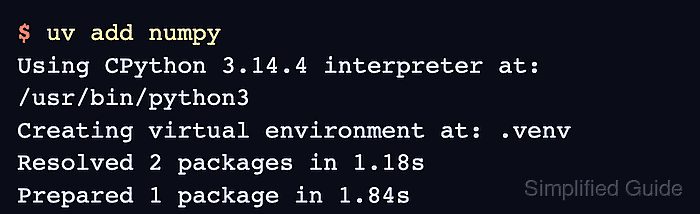
The uv add command records NumPy in pyproject.toml, updates uv.lock, and prepares .venv for project commands. Running Python through uv run avoids a manual activation step while still using the environment that belongs to the project directory.
Keep uv-managed installs inside a uv project instead of mixing independent installers in the same environment. Use the pip or Conda install paths when those tools own the active environment, and use the import-error check if a script or notebook still imports a different Python environment.
Related: Install with pip
Related: Install with Conda
Related: Fix import errors
Steps to install NumPy with uv:
- Open a terminal in the directory where the project folder should be created.
uv must already be installed and available on PATH.
- Initialize a bare uv project.
$ uv init numpy-demo --bare --vcs none
Initialized project `numpy-demo` at `/home/user/numpy-demo`
Replace numpy-demo with the project directory name. Omit the directory argument only when the current directory is already the project root.
- Enter the project directory.
$ cd numpy-demo
- Add NumPy to the uv project.
$ uv add numpy
Using CPython 3.14.4 interpreter at: /usr/bin/python3
Creating virtual environment at: .venv
Resolved 2 packages in 1.18s
Prepared 1 package in 1.84s
Installed 1 package in 20ms
 + numpy==2.5.0
The exact NumPy version changes as PyPI publishes compatible wheels for the Python version in the project.
- Verify that uv run imports NumPy from the project environment.
$ uv run python -c "import numpy as np; print(np.__version__); print(np.linspace(0, 1, 3).tolist())"
2.5.0
[0.0, 0.5, 1.0]
The first line reports the installed version, and the second line proves a small array calculation works inside the uv-managed environment.
Related: Fix import errors