How to solve linear equations with NumPy
Systems of simultaneous equations model quantities that must satisfy several constraints at once, such as prices inferred from totals or forces in equilibrium. NumPy represents the coefficients and known values as arrays, then computes the unknown vector directly.
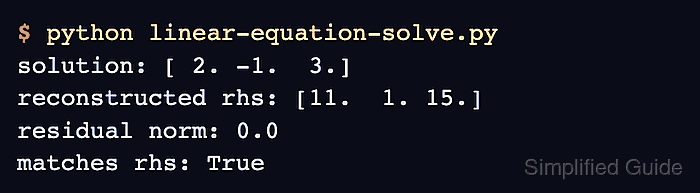
The np.linalg.solve() function expects a square coefficient array with linearly independent rows. A one-dimensional right-hand-side array supplies one known value for each equation, so its length must match the number of coefficient rows.
Multiplying the coefficient matrix by the computed vector reconstructs the known values. Comparing that reconstruction with the original right-hand side through np.allclose() allows for routine floating-point roundoff instead of requiring exact binary equality.
Steps to solve linear equations with NumPy:
- Create linear-equation-solve.py with the coefficient matrix and right-hand-side vector.
- linear-equation-solve.py
import numpy as np

coefficients = np.array([
    [3.0, 1.0],
    [1.0, 2.0],
])
rhs = np.array([9.0, 8.0])
The rows represent 3x + y = 9 and x + 2y = 8.
Related: Create an array - Add the solve call below the right-hand-side vector.
solution = np.linalg.solve(coefficients, rhs)
A non-square or singular coefficient array raises LinAlgError; np.linalg.lstsq() computes least-squares results for those other problem shapes.
- Add the solution display and equation check below the solve call.
reconstructed = coefficients @ solution
matches = np.allclose(reconstructed, rhs)

print("solution:", solution)
print("reconstructed rhs:", reconstructed)
print("matches equations:", matches)
The default rtol and atol values suit this whole-number system; comparisons near zero may require smaller, domain-specific tolerances.
Related: Multiply matrices - Run the completed program from the directory containing linear-equation-solve.py.
$ python3 linear-equation-solve.py
solution: [2. 3.]
reconstructed rhs: [9. 8.]
matches equations: True
matches equations: True confirms that multiplying the coefficient matrix by the solution reproduces the right-hand side within the selected tolerance.