How to connect Node.js to SQLite
SQLite stores a relational database in a single local file, which fits Node.js command-line tools, small services, prototypes, and background jobs that need durable state without running a separate database server.
Node.js 24 LTS includes the node:sqlite module, so a basic connection can use DatabaseSync without adding an npm database driver. The built-in API executes synchronously, which is straightforward for scripts and startup tasks but can block request handling when heavy queries run inside a busy server process.
A starter connection script can write app.sqlite in the project directory, create a table if needed, insert rows through prepared statements, and read a filtered row back. Printing the database location and row counts proves that Node.js opened the SQLite file and executed a bound query.
Related: How to connect Node.js to PostgreSQL
Steps to connect Node.js to SQLite:
- Open the Node.js project root.
If the project does not have package.json yet, create the project metadata before adding database code.
Related: How to create a Node.js project with npm - Confirm that the runtime can load the built-in SQLite module.
$ node -e "import('node:sqlite').then(() => console.log('node:sqlite available'))"
node:sqlite available
Current Node.js documentation marks node:sqlite as a release-candidate built-in module. Use a separate SQLite driver when the project policy requires only stable APIs.
- Create the SQLite connection script.
- db-check.mjs
import { DatabaseSync } from "node:sqlite";

const database = new DatabaseSync("app.sqlite", { timeout: 5000 });

try {
  database.exec(`
    CREATE TABLE IF NOT EXISTS tasks (
      id INTEGER PRIMARY KEY,
      title TEXT NOT NULL,
      status TEXT NOT NULL DEFAULT 'open'
    ) STRICT
  `);

  const upsert = database.prepare(`
    INSERT INTO tasks (id, title, status)
    VALUES (?, ?, ?)
    ON CONFLICT(id) DO UPDATE SET
      title = excluded.title,
      status = excluded.status
  `);

  upsert.run(1, "ship SQLite connection", "open");
  upsert.run(2, "write follow-up query", "done");

  const summary = database.prepare(`
    SELECT COUNT(*) AS task_count,
           SUM(status = 'open') AS open_count
    FROM tasks
  `).get();

  const nextTask = database.prepare(`
    SELECT id, title
    FROM tasks
    WHERE status = ?
    ORDER BY id
    LIMIT 1
  `).get("open");

  console.log(`database=${database.location()}`);
  console.log(`tasks=${summary.task_count}`);
  console.log(`open=${summary.open_count}`);
  console.log(`next=${nextTask.id}:${nextTask.title}`);
} finally {
  database.close();
}
DatabaseSync opens the file when the instance is created. Prepared statements keep values separate from SQL text and are the normal path for user-supplied data.
- Run the database smoke test.
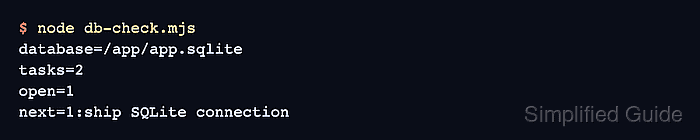
$ node db-check.mjs
database=/app/app.sqlite
tasks=2
open=1
next=1:ship SQLite connection
The path will match the project directory where db-check.mjs runs. The row counts should stay the same on repeated runs because the script upserts the sample rows.
- Confirm that the SQLite database file exists.
$ node -e "import { accessSync } from 'node:fs'; accessSync('app.sqlite'); console.log('app.sqlite exists')"
app.sqlite exists