How to run Node.js with permissions enabled
Node.js scripts normally inherit broad access from the account that starts them. The Permission Model narrows that runtime access so a script must be started with explicit grants before it can read extra files, write data, open network connections, spawn child processes, create worker threads, use native extension surfaces, or open the inspector.
The switch that activates the model is --permission. With that switch enabled, Node.js allows the entrypoint script to load but denies protected APIs unless matching --allow-* flags are supplied on the same command line.
Use the first denied ERR_ACCESS_DENIED message as the inventory source, then grant only the scope that the script actually needs. The model is a process-level boundary for code Node.js is already trusted to run; use an OS account, container, VM, or service sandbox when the code itself is untrusted.
Steps to run Node.js with the Permission Model:
- List the script resources that should be allowed.
Start with file paths, network access, child processes, worker threads, inspector access, native addons, WASI, or FFI only when the script uses those APIs. Avoid --allow-fs-read=* or --allow-fs-write=* unless broad filesystem access is intentional.
- Run the script with the Permission Model enabled.
$ node --permission app.mjs
node:fs:539
    return binding.readFileUtf8(path, stringToFlags(options.flag));
                   ^

Error: Access to this API has been restricted. Use --allow-fs-read to manage permissions.
##### snipped #####
{
  code: 'ERR_ACCESS_DENIED',
  permission: 'FileSystemRead',
  resource: '/srv/app/config.json'
}
Current Node.js releases allow the entrypoint itself to be read implicitly. The denied resource value is the extra file, directory, network, worker, child-process, or inspector access that still needs a matching grant.
- Rerun the script with the required read grant.
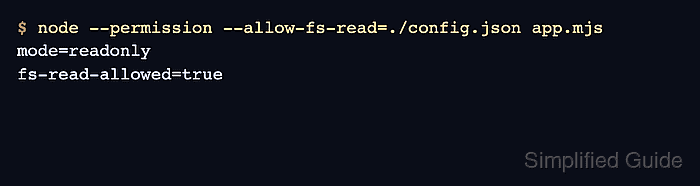
$ node --permission --allow-fs-read=./config.json app.mjs
mode=readonly
fs-read-allowed=true
Use multiple --allow-fs-read flags for multiple read paths. Relative paths are resolved from the current working directory, so run the command from the same directory your service or shell normally uses.
- Add a write grant only when the script must create or modify files.
$ node --permission --allow-fs-read=./config.json --allow-fs-write=./reports/* app.mjs
A read grant does not imply write access. Grant write permission to the narrow output directory or file the script owns, not to the whole project tree. Use an explicit wildcard when the output directory may not exist yet.
- Add non-filesystem grants only for APIs that the denied message names.
$ node --permission --allow-fs-read=./config.json --allow-net --allow-worker app.mjs
--allow-net permits networking, --allow-child-process permits child processes, --allow-worker permits worker threads, and --allow-inspector permits inspector access. Native addons, WASI, and FFI have separate allow flags.
- Verify that missing grants still block protected access.
$ node --permission --allow-fs-read=./config.json --eval 'require("node:fs").writeFileSync("./config.json", "changed")'
node:fs:2914
    return binding.writeFileUtf8(
                   ^

Error: Access to this API has been restricted. Use --allow-fs-write to manage permissions.
##### snipped #####
{
  code: 'ERR_ACCESS_DENIED',
  permission: 'FileSystemWrite',
  resource: './config.json'
}
If this probe succeeds, the command includes a write grant that is broader than a read-only run needs.