How to audit Node.js dependencies
Dependency audits compare a Node.js project's resolved package tree with vulnerability advisories from the configured npm registry. Running the audit before a release, deployment, or dependency update exposes vulnerable direct and transitive packages while the project lockfile still records the exact versions that will be installed.
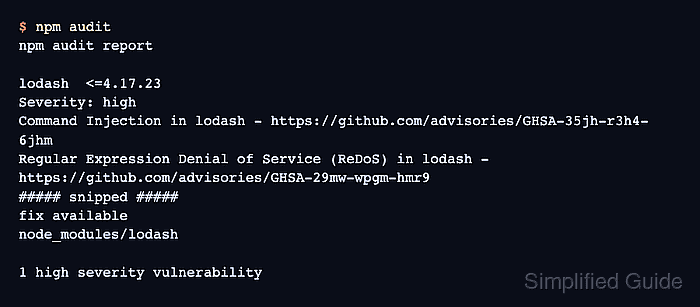
npm audit reads package-lock.json or npm-shrinkwrap.json by default and sends the dependency description to the default registry. The report includes severity, advisory links, the installed path, and the remediation npm can calculate for the current tree.
Use the audit result as a release gate and as a change plan, not as a blind auto-fix. Compatible lockfile updates can be previewed before writing, while output that asks for --force needs package-level review because it can change declared dependency ranges or install a breaking version.
Related: How to update Node.js dependencies
Steps to audit Node.js dependencies with npm:
- Run npm audit in the project root.
$ npm audit
# npm audit report

lodash  <=4.17.23
Severity: high
Command Injection in lodash - https://github.com/advisories/GHSA-35jh-r3h4-6jhm
Regular Expression Denial of Service (ReDoS) in lodash - https://github.com/advisories/GHSA-29mw-wpgm-hmr9
##### snipped #####
fix available via `npm audit fix`
node_modules/lodash

1 high severity vulnerability

To address all issues, run:
  npm audit fix
npm audit requires a lockfile by default. Use the project lockfile that will be committed and installed in deployment or CI.
- Trace why the vulnerable package is installed.
$ npm explain lodash
lodash@4.17.20
node_modules/lodash
  lodash@"^4.17.20" from the root project
For transitive packages, this output names the parent package chain that pulls the vulnerable version into node_modules.
- Preview npm's compatible remediation without writing changes.
$ npm audit fix --dry-run
change lodash 4.17.20 => 4.18.1

changed 1 package, and audited 2 packages in 416ms
##### snipped #####
A dry run previews the installer action. It can still print the vulnerability report because no package tree was changed.
- Apply the compatible lockfile fix when the preview is acceptable.
$ npm audit fix --package-lock-only

up to date, audited 2 packages in 673ms

found 0 vulnerabilities
--package-lock-only changes the lockfile without reinstalling node_modules. Do not add --force unless a reviewer accepts any dependency-range or major-version change shown by npm.
- Verify the audit with the release severity threshold.
$ npm audit --audit-level=high
found 0 vulnerabilities
--audit-level changes the nonzero exit threshold for CI and does not hide lower-severity rows from the report.
Related: How to install Node.js dependencies with npm ci