How to save Nmap scan output
Nmap scan output often needs to survive beyond the terminal session that produced it. Saving the result gives an operator a reviewable record for change tickets, exposure reviews, comparison runs, or import into another tool after an authorized scan completes.
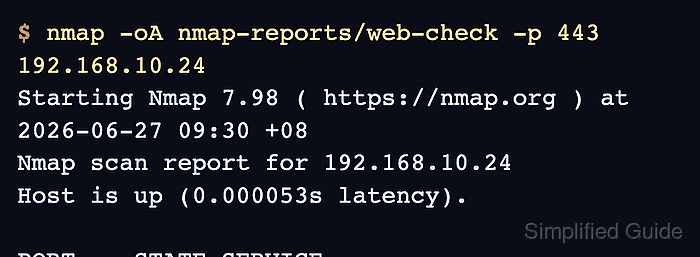
The -oA option writes one report set from a single scan. It uses the basename supplied on the command line and creates normal text, XML, and grepable files with .nmap, .xml, and .gnmap suffixes.
Use XML for tools that parse Nmap results and normal output for human review. Grepable output remains available for legacy text workflows, but Nmap documents it as deprecated, so do not make .gnmap the only long-term archive format.
Related: How to scan an authorized host with Nmap
Related: How to discover live hosts with Nmap
Related: How to scan a port range with Nmap
Steps to save Nmap scan output:
- Confirm the target, port list, and report location are inside the approved scan scope.
Do not save or share scan output from Internet hosts, customer systems, neighboring subnets, or shared infrastructure unless the written scope explicitly permits that scan and retention.
- Create a directory for the saved report files.
$ mkdir -p nmap-reports
Use a new basename for each scan window or target group. Nmap overwrites existing output files for the same format unless --append-output is used deliberately.
- Run the scan with -oA and a report basename.
$ nmap -oA nmap-reports/web-check -p 443 192.168.10.24
Starting Nmap 7.98 ( https://nmap.org ) at 2026-06-27 09:30 +08
Nmap scan report for 192.168.10.24
Host is up (0.000053s latency).

PORT    STATE SERVICE
443/tcp open  https

Nmap done: 1 IP address (1 host up) scanned in 0.08 seconds
Replace 192.168.10.24 and -p 443 with the approved target and port expression. Use -oN, -oX, or -oG instead of -oA only when the workflow needs one specific format.
- List the generated report files.
$ ls -1 nmap-reports/web-check.*
nmap-reports/web-check.gnmap
nmap-reports/web-check.nmap
nmap-reports/web-check.xml
-oA creates three files from the same scan. The basename is not a directory unless the path before it already exists.
- Review the normal text report for the target and port state.
$ cat nmap-reports/web-check.nmap
# Nmap 7.98 scan initiated Sat Jun 27 09:30:22 2026 as: nmap -oA nmap-reports/web-check -p 443 192.168.10.24
Nmap scan report for 192.168.10.24
Host is up (0.000053s latency).

PORT    STATE SERVICE
443/tcp open  https

# Nmap done at Sat Jun 27 09:30:22 2026 -- 1 IP address (1 host up) scanned in 0.08 seconds
The .nmap file is closest to the terminal view and is usually the easiest file to attach to a human review.
- Check the grepable file only when a legacy text workflow expects it.
$ cat nmap-reports/web-check.gnmap
# Nmap 7.98 scan initiated Sat Jun 27 09:30:22 2026 as: nmap -oA nmap-reports/web-check -p 443 192.168.10.24
Host: 192.168.10.24 ()	Status: Up
Host: 192.168.10.24 ()	Ports: 443/open/tcp//https///
# Nmap done at Sat Jun 27 09:30:22 2026 -- 1 IP address (1 host up) scanned in 0.08 seconds
The .gnmap file keeps host and port information on compact lines. Prefer the .xml file for new parsers because it carries structured scan data.
- Confirm the XML report contains the same host and port before importing it elsewhere.
$ cat nmap-reports/web-check.xml
<?xml version="1.0" encoding="UTF-8"?>
<!DOCTYPE nmaprun>
##### snipped #####
<address addr="192.168.10.24" addrtype="ipv4"/>
<ports><port protocol="tcp" portid="443"><state state="open" reason="syn-ack" reason_ttl="64"/><service name="https" method="table" conf="3"/></port>
</ports>
##### snipped #####
<runstats><finished summary="Nmap done at Sat Jun 27 09:30:22 2026; 1 IP address (1 host up) scanned in 0.08 seconds" elapsed="0.08" exit="success"/><hosts up="1" down="0" total="1"/>
</runstats>
</nmaprun>
The .xml file is the best handoff format for import, comparison, and automation because it keeps target, port, state, and run metadata in structured elements.
Tool: XML Converter