How to configure hard or soft NFS mount options
An NFS mount option controls what local applications experience when a remote export stops answering. hard keeps retrying requests until the server responds again, while soft lets the client return an error after its retry limit; the choice matters most for applications that write data or cannot tolerate blocked file access.
Linux stores persistent client mounts in /etc/fstab, native systemd .mount units, or an automounter map, and the live kernel mount table shows what the client actually applied. The common fstab entry uses the nfs filesystem type with a version option such as vers=4.2, even though the active table may display nfs4 after the mount is established.
Changing hard to soft is not a generic remount toggle. NFS-specific options usually require unmounting and mounting the export again, so make the change during a maintenance window, stop applications that are using the path, and confirm the live option after reconnecting.
Steps to configure hard or soft NFS mount options:
- Open a terminal on the Linux client that owns the mounted export.
- Identify the active NFS mount and current failure behavior.
$ findmnt --target /mnt/projects --types nfs,nfs4 --output TARGET,SOURCE,FSTYPE,OPTIONS
TARGET        SOURCE                                FSTYPE OPTIONS
/mnt/projects files.example.net:/srv/nfs/projects  nfs4   rw,relatime,vers=4.2,rsize=1048576,wsize=1048576,hard,proto=tcp,timeo=600,retrans=2
Replace /mnt/projects with the client mount point. A live row with hard or soft shows the behavior currently applied by the kernel, not only the saved configuration.
- Choose the behavior for the mounted workload.
Use hard for writable, stateful, or integrity-sensitive data so operations wait for the server instead of returning partial I/O errors. Use soft only when client responsiveness is more important than data integrity, such as a read-only or disposable lookup path.
- Edit the saved /etc/fstab entry for the mount point.
$ sudoedit /etc/fstab
If this mount is managed by a native systemd .mount unit or autofs map, update that controller's option list instead of /etc/fstab.
- Set exactly one failure behavior option in the entry.
files.example.net:/srv/nfs/projects /mnt/projects nfs rw,_netdev,hard,vers=4.2,proto=tcp,timeo=600,retrans=2 0 0
For a deliberate soft mount, replace hard,timeo=600 with soft,timeo=150 and keep retrans=2 explicit so the returned-error window is intentional. timeo is measured in tenths of a second, so 150 means 15 seconds. Current Linux ignores the legacy intr option.
- Validate the saved mount table before disconnecting the current mount.
$ sudo findmnt --verify --verbose
/mnt/projects
   [ ] target exists
   [ ] VFS options: rw
   [ ] FS options: hard,vers=4.2,proto=tcp,timeo=600,retrans=2
   [ ] userspace options: _netdev
   [ ] do not check files.example.net:/srv/nfs/projects source (pseudo/net)
   [ ] do not check files.example.net:/srv/nfs/projects FS type (pseudo/net)
Success, no errors or warnings detected
If the output includes other entries, fix any syntax error before changing the live NFS mount.
- Stop application services that read or write /mnt/projects.
- Unmount the current NFS session.
$ sudo umount /mnt/projects
If umount reports that the target is busy, find and stop the process that still has files open before forcing the disconnect. A forced unmount can interrupt active writes.
- Mount the entry again from the saved configuration.
$ sudo mount /mnt/projects
- Confirm the selected option is active in the live mount table.
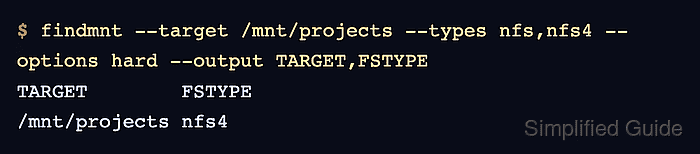
$ findmnt --target /mnt/projects --types nfs,nfs4 --options hard --output TARGET,FSTYPE
TARGET        FSTYPE
/mnt/projects nfs4
Use --options soft in the same command when the saved entry uses soft. No row means the live mount does not currently carry the selected option.
- Read the mounted directory after reconnecting.
$ ls /mnt/projects
README.txt  reports
If the directory listing fails, restore the previous saved options or troubleshoot server reachability before restarting dependent applications.
Related: How to troubleshoot NFS mount timeouts
Related: How to clean up a stale NFS client mount