How to configure Redis caching for Nextcloud
Nextcloud can keep shared cache data and transactional file locks in Redis instead of pushing that workload into the database. Busy file servers, sync clients, and WebDAV requests benefit from a cache backend that all PHP workers can reach while the database stays focused on application data.
Redis is a shared key-value service, while APCu is the local PHP memory cache. On a typical single-server install, keep APCu as the local cache and use Redis for the distributed cache and file locking; Redis can be used as a local cache, but APCu is usually faster for host-local cache entries.
Assume a Debian or Ubuntu style server with Nextcloud installed under /var/www/nextcloud and the web-server user www-data. Replace those values when the instance uses another web root, another HTTP user, or a Redis service reachable through a different host name.
Steps to configure Redis caching for Nextcloud:
- Refresh the package index on the Nextcloud server.
$ sudo apt update
- Install the Redis server and PHP cache extensions.
$ sudo apt install redis-server php-redis php-apcu
Use the equivalent packages for another distribution. Nextcloud needs the PhpRedis extension for Redis access, and APCu should be available to the PHP runtime that serves the web application.
- Enable and start the redis-server service.
$ sudo systemctl enable --now redis-server
- Confirm Redis accepts local commands.
$ redis-cli ping
PONG
If Redis is bound to a private network host instead of localhost, verify access from the Nextcloud web server before changing config.php.
- Restart the PHP runtime that serves Nextcloud.
$ sudo systemctl restart php8.3-fpm
Replace php8.3-fpm with the PHP-FPM unit used by the server, such as php8.4-fpm, or restart apache2 when Nextcloud runs through Apache mod_php.
- Change to the Nextcloud installation directory.
$ cd /var/www/nextcloud
Use the directory that contains the occ file.
Related: How to run Nextcloud occ commands - Set APCu as the local memory cache.
$ sudo -E -u www-data php occ config:system:set memcache.local --value='\OC\Memcache\APCu'
System config value memcache.local set to string \OC\Memcache\APCu
- Set Redis as the distributed cache.
$ sudo -E -u www-data php occ config:system:set memcache.distributed --value='\OC\Memcache\Redis'
System config value memcache.distributed set to string \OC\Memcache\Redis
- Set Redis as the transactional file-locking cache.
$ sudo -E -u www-data php occ config:system:set memcache.locking --value='\OC\Memcache\Redis'
System config value memcache.locking set to string \OC\Memcache\Redis
- Set the Redis host for Nextcloud.
$ sudo -E -u www-data php occ config:system:set redis host --value=localhost
System config value redis => host set to string localhost
Use the Redis DNS name or IP address instead of localhost when Redis runs on another host or container network.
- Set the Redis TCP port.
$ sudo -E -u www-data php occ config:system:set redis port --value=6379 --type=integer
System config value redis => port set to integer 6379
- Set a Redis connection timeout.
$ sudo -E -u www-data php occ config:system:set redis timeout --value=1.5 --type=float
System config value redis => timeout set to double 1.5
- Check the saved Redis connection settings.
$ sudo -E -u www-data php occ config:system:get redis
host: localhost
port: 6379
timeout: 1.5
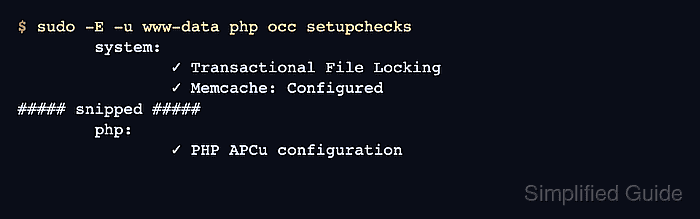
- Run the Nextcloud setup checks and confirm the cache checks pass.
$ sudo -E -u www-data php occ setupchecks
	system:
		✓ Transactional File Locking
		✓ Memcache: Configured
##### snipped #####
	php:
		✓ PHP APCu configuration
The setup-check output can include unrelated warnings for background jobs, headers, mail, or database choices. Close those separately, but the Redis cache change is accepted when Transactional File Locking, Memcache, and PHP APCu configuration pass.