How to run Nextcloud occ commands
Nextcloud includes the occ console script for administrative tasks that need direct server access. Administrators use it for status checks, user operations, file scans, maintenance mode, app management, and other work that should run through the same application code as the web interface.
The script lives in the installed Nextcloud directory, such as /var/www/nextcloud on many Ubuntu servers. Run it through PHP as the web-server user so file ownership and generated data stay consistent with the running web service.
On Debian and Ubuntu, the HTTP user is www-data. Replace that user when the server uses another distribution account, and check command-specific help before running state-changing operations such as user deletion, upgrades, maintenance mode, or bulk file scans.
Steps to run Nextcloud occ commands:
- Change to the Nextcloud installation directory.
$ cd /var/www/nextcloud
Use the directory that contains the occ file. Archive, package, and container installs can place the web root in different locations.
- List available occ commands as the web-server user.
$ sudo -E -u www-data php occ list
Nextcloud 33.0.5

Usage:
  command [options] [arguments]

Available commands:
  check                                  check dependencies of the server environment
  list                                   List commands
  status                                 show some status information
  upgrade                                run upgrade routines after installation of a new release
 app
  app:disable                            disable an app
  app:enable                             enable an app
  app:list                               List all available apps
 files
  files:scan                             rescan filesystem
 user
  user:list                              list configured users
  user:resetpassword                     Resets the password of the named user
##### snipped #####
-E preserves environment variables that some installations use for PHP or database access. Debian and Ubuntu use www-data; Fedora and CentOS commonly use apache, Arch Linux uses http, and openSUSE uses wwwrun.
- Check help for the command before running it.
$ sudo -E -u www-data php occ help status
Description:
  show some status information

Usage:
  status [options]

Options:
      --output[=OUTPUT]  Output format: plain, json, or json_pretty
  -e, --exit-code        exit with 0 in normal mode, 1 in maintenance mode, 2 when an upgrade is needed
##### snipped #####
Use help first when a command can delete users, move files, toggle maintenance mode, or change database state.
- Run a harmless status check to confirm occ works without permission errors.
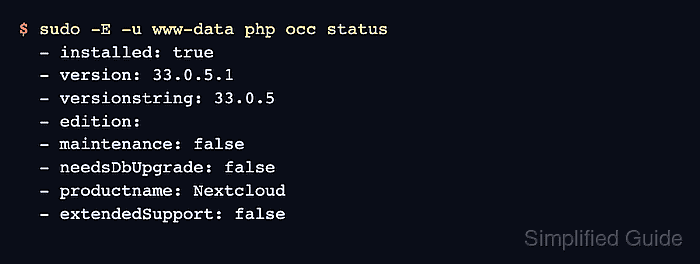
$ sudo -E -u www-data php occ status
  - installed: true
  - version: 33.0.5.1
  - versionstring: 33.0.5
  - edition:
  - maintenance: false
  - needsDbUpgrade: false
  - productname: Nextcloud
  - extendedSupport: false
If APCu is required for the installation and PHP CLI reports that it is disabled, enable apc.enable_cli in the CLI /php.ini file or add --define apc.enable_cli=1 before occ for that run.