How to move the Nextcloud data directory
A Nextcloud data directory holds user files, app data, logs, and sometimes local database files, so moving it is storage work rather than a cosmetic path change. Relocating it to a larger filesystem keeps user uploads away from a crowded system disk while preserving the same application instance.
Nextcloud stores the configured data directory path in config.php and records storage state in the database. For an installed server, copy the data tree to the new filesystem, replace the original directory with a symlink, and leave the configured datadirectory path unchanged so file IDs, shares, and app data keep the same logical home.
A common Debian or Ubuntu installation uses /var/www/nextcloud, the www-data user, and web services such as nginx and php8.3-fpm. Replace those names with the local web root, HTTP user, target storage path, and service units, and keep a rollback copy until a real user file opens through the web UI or WebDAV.
Related: How to create a Nextcloud backup
Related: How to enable Nextcloud maintenance mode
Related: How to run Nextcloud occ commands
Steps to move the Nextcloud data directory:
- Confirm the configured Nextcloud data directory from the installed web root.
$ sudo -E -u www-data php /var/www/nextcloud/occ config:system:get datadirectory
/var/www/nextcloud/data
Use the directory that contains occ. The symlink method keeps this configured path unchanged and moves the storage behind it. Changing datadirectory after installation requires database updates and can corrupt file relationships.
Related: How to run Nextcloud occ commands - Create a restorable backup of the database, config file, application files, and current data directory.
Do not rely on the copy being moved as the only backup. A failed copy, wrong target path, or missing database backup can leave rollback incomplete.
Related: How to create a Nextcloud backup
- Enable Nextcloud maintenance mode.
$ sudo -E -u www-data php /var/www/nextcloud/occ maintenance:mode --on
Maintenance mode enabled
Nextcloud is in maintenance mode, no apps are loaded.
Commands provided by apps are unavailable.
Maintenance mode prevents browser and sync-client writes while the data tree is being copied.
Related: How to enable Nextcloud maintenance mode - Stop the web and PHP-FPM services.
$ sudo systemctl stop nginx php8.3-fpm
Use the units that serve the local instance, such as apache2 for an Apache module install or the matching php-fpm pool on another distribution.
- Create the target storage directory.
$ sudo mkdir -p /srv/nextcloud-data
- Copy the current data directory into the target location.
$ sudo rsync --archive --acls --xattrs --numeric-ids --one-file-system /var/www/nextcloud/data/ /srv/nextcloud-data/data/
The trailing slashes copy the contents of the current data directory into the new data directory. Keep both paths on the same server unless a full host migration is planned.
- Inspect the copied data directory before moving the original aside.
$ sudo ls -la /srv/nextcloud-data/data
total 2492
drwxrwx--- 5 www-data www-data    4096 Jun 28 23:20 .
drwxr-xr-x 3 root     root        4096 Jun 28 23:20 ..
-rw-rw-r-- 1 www-data www-data      52 Jun 28 23:19 .ncdata
drwxr-xr-x 5 www-data www-data    4096 Jun 28 23:19 ada
drwxr-xr-x 4 www-data www-data    4096 Jun 28 23:19 appdata_ocohdljpcln6
##### snipped #####
The copied directory should contain the marker file, user folders, and the appdata_ directory from the original data tree.
- Move the original data directory out of the configured path.
$ sudo mv /var/www/nextcloud/data /var/www/nextcloud/data.pre-move
Do not delete this rollback copy until the moved instance has been checked through occ and a real user file has opened successfully.
- Create a symlink from the configured path to the new data directory.
$ sudo ln -s /srv/nextcloud-data/data /var/www/nextcloud/data
- Set ownership on the moved data tree.
$ sudo chown -R www-data:www-data /srv/nextcloud-data/data
Replace www-data with the HTTP user used by the instance. The copy usually preserves ownership, but this check avoids a target filesystem or transfer option leaving files owned by root.
- Set ownership on the symlink itself.
$ sudo chown -h www-data:www-data /var/www/nextcloud/data
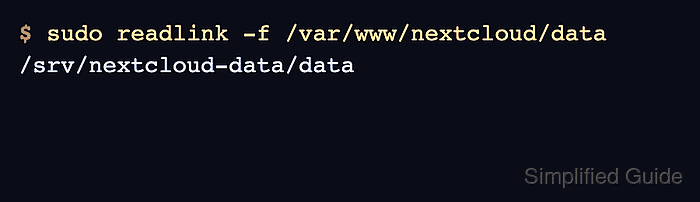
- Verify that the configured path resolves to the new storage location.
$ sudo readlink -f /var/www/nextcloud/data
/srv/nextcloud-data/data
- Start the web and PHP-FPM services.
$ sudo systemctl start php8.3-fpm nginx
- Disable Nextcloud maintenance mode.
$ sudo -E -u www-data php /var/www/nextcloud/occ maintenance:mode --off
Maintenance mode disabled
- Check the Nextcloud application status.
$ sudo -E -u www-data php /var/www/nextcloud/occ status
  - installed: true
  - version: 34.0.0.12
  - versionstring: 34.0.0
  - edition:
  - maintenance: false
  - needsDbUpgrade: false
  - productname: Nextcloud
  - extendedSupport: false
- Scan unscanned home-storage files to confirm the moved tree is readable.
$ sudo -E -u www-data php /var/www/nextcloud/occ files:scan --all --unscanned --home-only
Starting scan for user 1 out of 2 (ada)
Starting scan for user 2 out of 2 (admin)
+---------+-------+-----+---------+---------+--------+--------------+
| Folders | Files | New | Updated | Removed | Errors | Elapsed time |
+---------+-------+-----+---------+---------+--------+--------------+
| 0       | 0     | 0   | 0       | 0       | 0      | 00:00:00     |
+---------+-------+-----+---------+---------+--------+--------------+
- Open a known user file through WebDAV or the Files web UI.
$ curl --fail --user ada https://cloud.example.com/remote.php/dav/files/ada/Documents/report.txt
Enter host password for user 'ada':
quarterly storage check
Use a test user or app password for the smoke test. Avoid placing admin passwords or long-lived credentials directly on the command line.