How to create a UDP listener with Netcat
A temporary UDP listener gives an operator a known receiver for datagrams from agents, log forwarders, lab clients, or protocol probes. Because UDP has no connection handshake, success is visible in the listener terminal when the expected payload arrives, not from a TCP-style connected state.
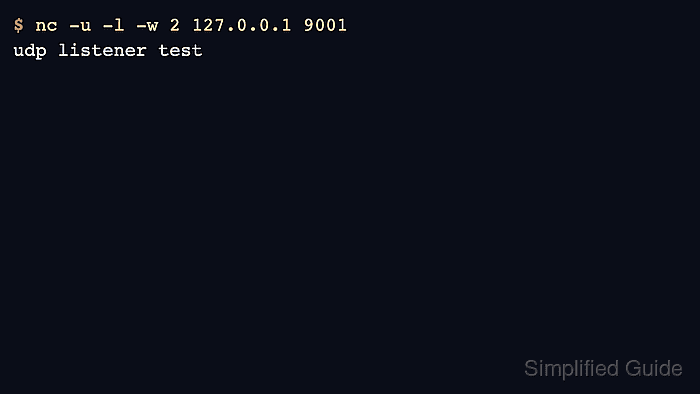
OpenBSD Netcat combines listener mode with UDP mode by using -l and -u together. A short idle timeout keeps the receive side from waiting forever during a one-packet test, while the sending terminal can deliver a small payload and exit.
The examples use netcat-openbsd on Ubuntu 26.04 and bind to 127.0.0.1:9001 for same-host validation. Bind to a private interface address only when another host must send the datagram, and avoid broad binds such as 0.0.0.0 on shared networks unless firewall policy limits who can reach the port.
Related: How to install Netcat on Ubuntu
Related: How to send a UDP datagram with Netcat
Tool: Netcat Command Generator
Steps to create a UDP listener with Netcat:
- Choose the bind address and UDP port for the test.
The examples use 127.0.0.1 and port 9001 so the listener receives only local datagrams. Use a private interface address when the sender runs on another host.
- Start the UDP listener in the first terminal.
$ nc -u -l -w 2 127.0.0.1 9001
The -w 2 timeout makes the listener exit after a short idle period. Increase it when the sender may take longer to send the datagram.
- Send a test datagram from a second terminal.
$ printf 'udp listener test\n' | nc -u -w 1 127.0.0.1 9001
The sender uses -u so Netcat sends a UDP datagram instead of opening a TCP connection.
- Confirm that the first terminal prints the datagram payload.
$ nc -u -l -w 2 127.0.0.1 9001
udp listener test
The printed line proves the listener was bound to the address and port that received the datagram.
- Repeat the listener command before the next short receive test.
Use a fresh receive window when each packet needs its own transcript. Leave the timeout longer only when the sender timing is uncertain.
- Stop any listener that is still waiting with Ctrl-C before leaving the terminal.
A Netcat UDP listener exposes a local port for as long as it runs. Keep test listeners on loopback or a private interface unless the exposure is intentional and access-controlled.