How to connect to a TLS service with Ncat
Plain Netcat sessions fail against HTTPS, SMTPS, IMAPS, and other TLS-first listeners because the server expects a TLS handshake before any application bytes. Ncat can open the encrypted socket from a terminal so an operator can send one small request and read the protected service response without a browser or full protocol client changing the exchange.
The Ncat TLS client path uses --ssl for an encrypted session and --ssl-verify when the server certificate and hostname must be checked. A private CA, lab certificate, or internal service certificate can be supplied with --ssl-trustfile as a PEM file, while public CA-signed services usually use the system and Ncat trust bundle without a custom trust file.
The examples below use Ncat 7.98 on Ubuntu 26.04 against a loopback TLS service on localhost:8443. Replace the host, port, request line, and trust file with the service being tested, use --ssl-servername when connecting by IP address to a name-based TLS listener, and keep unverified --ssl checks limited to isolated diagnostics where identity is being checked another way.
Related: How to connect to a TCP service with Netcat
Related: How to grab a service banner with Netcat
Related: How to debug an HTTP request with Netcat
Related: How to install Ncat on Ubuntu
Tool: Netcat Command Generator
Steps to connect to a TLS service with Ncat:
- Confirm that the installed binary is Ncat, not a smaller nc variant without TLS support.
$ ncat --version
Ncat: Version 7.98 ( https://nmap.org/ncat )
Install Ncat first when the command is missing or when nc --help does not show TLS-related options.
Related: How to install Ncat on Ubuntu
- Identify the endpoint, expected protocol request, and certificate trust source before connecting.
Host: localhost
Port: 8443
Request: GET / HTTP/1.1
Trust file: service.crt
Use a custom trust file for private CA or lab certificates. Omit --ssl-trustfile for a public service whose certificate should validate through the normal trust bundle.
- Send a small request through a verified TLS session.
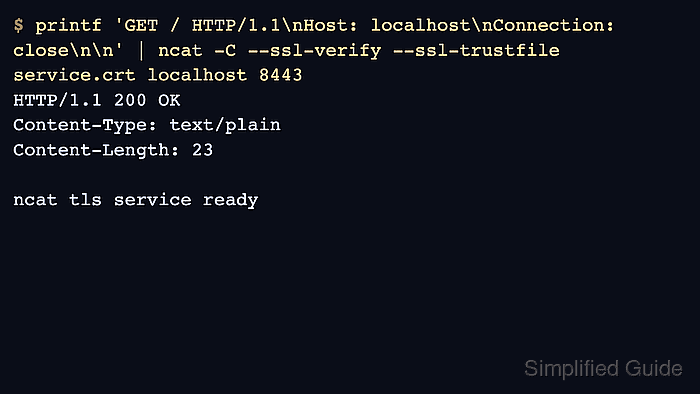
$ printf 'GET / HTTP/1.1\nHost: localhost\nConnection: close\n\n' | ncat -C --ssl-verify --ssl-trustfile service.crt localhost 8443
HTTP/1.1 200 OK
Content-Type: text/plain
Content-Length: 23

ncat tls service ready
--ssl-verify enables TLS and requires certificate verification. --ssl-trustfile points at the PEM certificate or CA bundle trusted for this test. -C converts line endings to CRLF for HTTP-like protocols.
- Use the normal public trust bundle when the endpoint has a publicly trusted certificate.
$ printf 'GET / HTTP/1.1\nHost: service.example.net\nConnection: close\n\n' | ncat -C --ssl-verify service.example.net 443
The command should return the service response only after certificate and hostname verification succeeds. Use the real protocol request for the service being checked.
- Set the TLS server name explicitly when the network address and certificate name differ.
$ printf 'GET / HTTP/1.1\nHost: service.example.net\nConnection: close\n\n' | ncat -C --ssl-verify --ssl-servername service.example.net 203.0.113.10 443
SNI lets a shared IP address or reverse proxy choose the certificate for the requested hostname. Without it, a direct IP test can return a default certificate that does not match the service name.
- Treat a TCP connection without a readable response as an application-layer clue, not proof that the TLS service is working. A completed handshake can still lead to an empty response, wrong protocol output, or a server waiting for a different request format.
Use a plain TCP client page only for unencrypted services, and use a protocol-specific debugger when the request format is the actual problem.
- Use unverified TLS only for a narrow diagnostic when identity is intentionally out of scope.
$ ncat --ssl service.example.net 443
--ssl encrypts the session but does not verify that the certificate belongs to the target service. Prefer --ssl-verify for any result that will be used as operational evidence.