How to install Ncat on Ubuntu
Install Ncat on Ubuntu when a Netcat-compatible workflow needs the Nmap implementation instead of the smaller default nc variants. Ncat keeps the familiar connect and listen model, but adds features such as TLS, proxy support, connection brokering, and consistent cross-platform syntax.
Ubuntu provides Ncat as the ncat package from the distribution repositories. Installing that package adds the ncat command and may register it as an nc alternative, but commands that require Ncat-specific options should call ncat explicitly.
The examples use APT on Ubuntu 26.04 and verify the result with a local loopback listener. On hosts where the Universe repository is disabled, APT will not find the package until that repository is enabled and the package lists are refreshed.
Related: How to install Netcat on Ubuntu
Related: How to connect to a TLS service with Ncat
Related: How to force IPv4 or IPv6 with Netcat
Tool: Netcat Command Generator
Steps to install Ncat on Ubuntu:
- Open a terminal with sudo privileges on the Ubuntu host.
- Refresh the local APT package lists.
$ sudo apt update
- Check that APT has a candidate for the ncat package.
$ apt-cache policy ncat
ncat:
  Installed: (none)
  Candidate: 7.98+dfsg-1
  Version table:
     7.98+dfsg-1 500
        500 http://archive.ubuntu.com/ubuntu resolute/universe arm64 Packages
The exact version and architecture change by Ubuntu release. The important signal is a candidate version from an Ubuntu repository.
If the candidate is empty or APT reports Unable to locate package ncat, enable the Universe repository through the host's normal software-source management, then rerun sudo apt update.
- Install Ncat.
$ sudo apt install ncat
APT also installs the libraries required by the Ubuntu build. The package post-install step may register /usr/bin/ncat as an nc alternative, but the explicit command remains ncat.
- Confirm the shell resolves the installed binary.
$ command -v ncat
/usr/bin/ncat
- Confirm the installed command reports an Ncat version.
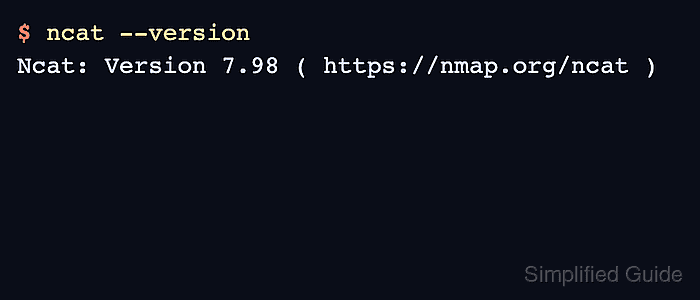
$ ncat --version
Ncat: Version 7.98 ( https://nmap.org/ncat )
The version number changes with the Ubuntu release and security updates. The command should identify itself as Ncat rather than OpenBSD Netcat or traditional Netcat.
- Start a loopback listener in one terminal.
$ ncat -l 127.0.0.1 31337
The listener waits in the foreground for one local connection.
- Send a test line from a second terminal.
$ printf 'ncat installed\n' | ncat 127.0.0.1 31337
- Confirm the first terminal prints the test line and then returns to the prompt.
$ ncat -l 127.0.0.1 31337
ncat installed
This loopback test proves that the installed ncat command can open a local TCP listener and accept a client connection. Use Ncat options such as --ssl only with endpoints where that behavior is expected. Related: How to connect to a TLS service with Ncat