How to debug an HTTP request with Netcat
Use Netcat to send an exact plaintext HTTP request when a browser or full HTTP client hides the bytes that matter. This is useful for checking a Host header, path, virtual host, proxy hop, or simple response header without redirects, cookies, automatic request headers, or rendering behavior in the way.
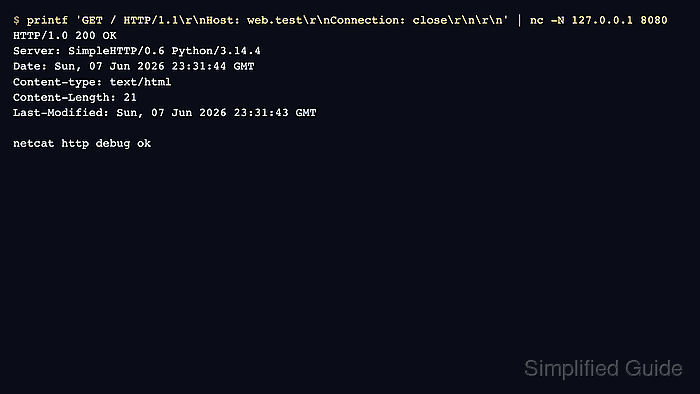
HTTP/1.1 requests need a request line, a Host header, and a blank line that ends the header block. The command below uses printf so the request carries explicit CRLF line endings, then passes the bytes to Netcat and prints the raw response returned by the server.
The examples use OpenBSD Netcat syntax and a local HTTP listener on 127.0.0.1:8080. Replace the address, port, path, and Host header with the endpoint being checked, and use a TLS-capable client such as Ncat with SSL support when the target only accepts HTTPS.
Steps to debug an HTTP request with Netcat:
- Choose the exact request target before opening the socket. Record the TCP host and port, the HTTP path, and the Host header value the server should receive.
The TCP host can be an IP address while the Host header stays set to the virtual host name, which is helpful when checking a single backend, container, load balancer address, or hosts-file override.
- Send a minimal HTTP/1.1 request and ask the server to close the connection after the response.
$ printf 'GET / HTTP/1.1\r\nHost: www.example.test\r\nConnection: close\r\n\r\n' | nc -N 127.0.0.1 8080
HTTP/1.0 200 OK
Server: SimpleHTTP/0.6 Python/3.14.4
Date: Sun, 07 Jun 2026 23:31:44 GMT
Content-type: text/html
Content-Length: 21
Last-Modified: Sun, 07 Jun 2026 23:31:43 GMT

netcat http debug ok
\r\n keeps the request line and headers in CRLF form. The final blank line is required because most HTTP servers wait for it before treating the request headers as complete.
- Change one request field at a time when comparing server behavior. Adjust only the path, Host header, or another header value, then re-run the same command so the response difference points to one change.
$ printf 'GET /missing HTTP/1.1\r\nHost: www.example.test\r\nConnection: close\r\n\r\n' | nc -N 127.0.0.1 8080
HTTP/1.0 404 File not found
Server: SimpleHTTP/0.6 Python/3.14.4
Date: Sun, 07 Jun 2026 23:31:52 GMT
Connection: close
Content-Type: text/html;charset=utf-8
Content-Length: 335
Use nc -w 5 with the same request when a server keeps the socket open or when a silent endpoint would otherwise leave the terminal waiting.
- Read the status line and response headers before the body. The first line shows the HTTP version, status code, and reason phrase. Header lines such as Server, Content-Length, Location, Set-Cookie, Cache-Control, and Access-Control-Allow-Origin show which server layer answered and what the client would receive.
Tool: HTTP Header Checker
- Compare with a normal HTTP client when the raw request behaves differently than expected.
$ curl -sS -v http://127.0.0.1:8080/ -H 'Host: www.example.test'
*   Trying 127.0.0.1:8080...
* Established connection to 127.0.0.1 (127.0.0.1 port 8080)
> GET / HTTP/1.1
> Host: www.example.test
> User-Agent: curl/8.18.0
> Accept: */*
>
< HTTP/1.0 200 OK
< Server: SimpleHTTP/0.6 Python/3.14.4
< Content-type: text/html
< Content-Length: 21
<
netcat http debug ok
curl adds headers that the Netcat example does not send. If curl succeeds and Netcat does not, check the missing request headers, the blank line, the TCP port, and whether the server requires TLS.