How to set a Netcat connection timeout
Slow TCP probes can hang a shell script long enough to hide the real failure. Setting a Netcat timeout makes an unanswered connection attempt or quiet session return control after a known number of seconds instead of waiting for the network stack or remote service indefinitely.
OpenBSD nc uses -w for connection attempts that cannot complete and for established sessions that stop reading or writing. Pair it with -zv when the job is only to test whether a TCP port accepts a connection, or use it without -z when a real session should close after being idle.
The examples below use netcat-openbsd on Ubuntu 26.04. Nmap Ncat also accepts -w for connect timeout, but its idle timeout is –idle-timeout or -i, so confirm the implementation before copying the same command into automation.
Steps to set a Netcat connection timeout:
- Confirm that the installed nc implementation supports -w.
$ nc -h
OpenBSD netcat (Debian patchlevel 1.234-1)
usage: nc [-46CDdFhklNnrStUuvZz] [-I length] [-i interval] [-M ttl]
	  [-m minttl] [-O length] [-P proxy_username] [-p source_port]
	  [-q seconds] [-s sourceaddr] [-T keyword] [-V rtable] [-W recvlimit]
	  [-w timeout] [-X proxy_protocol] [-x proxy_address[:port]]
	  [destination] [port]
##### snipped #####
		-w timeout	Timeout for connects and final net reads
The exact help text varies by Netcat implementation. The timeout flag must be present before the remaining examples apply unchanged.
- Measure a failed TCP connection attempt with a two-second timeout.
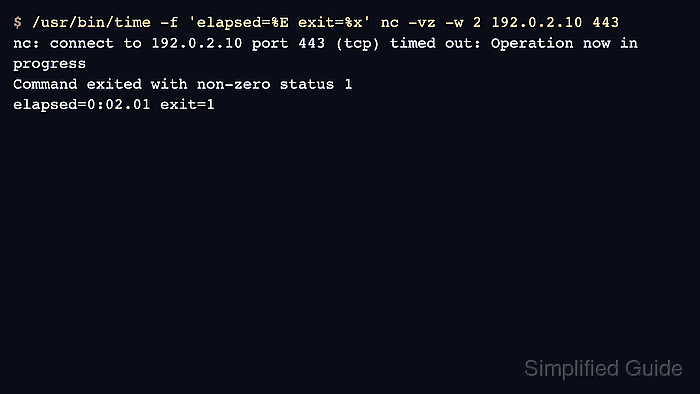
$ /usr/bin/time -f 'elapsed=%E exit=%x' nc -vz -w 2 192.0.2.10 443
nc: connect to 192.0.2.10 port 443 (tcp) timed out: Operation now in progress
Command exited with non-zero status 1
elapsed=0:02.01 exit=1
Replace 192.0.2.10 and 443 with the host and port being checked. The address shown here is reserved for documentation and is used only to demonstrate the timeout path.
- Start a reusable quiet local listener in a second terminal when checking successful and idle connections.
$ nc -lk 127.0.0.1 8080
The listener is only a local test endpoint. Stop it with Ctrl-C after the checks finish.
- Use the same -w value without /usr/bin/time when the command goes into a script or runbook.
$ nc -vz -w 2 127.0.0.1 8080
Connection to 127.0.0.1 8080 port [tcp/*] succeeded!
-z opens no data stream, while -v prints the connection result. A timed-out or refused connection exits nonzero, so scripts can branch on the exit status.
Related: How to test a TCP port with Netcat
- Connect to the quiet listener with -w and confirm that nc exits after the idle period.
$ /usr/bin/time -f 'elapsed=%E exit=%x' nc -v -w 3 127.0.0.1 8080
Connection to 127.0.0.1 8080 port [tcp/*] succeeded!
elapsed=0:02.98 exit=0
OpenBSD nc reports a successful connection first, then exits when no data crosses the established session for roughly the configured number of seconds.
- Do not use -w as a startup deadline for a listener.
OpenBSD nc ignores -w with -l, so nc -l -w 3 127.0.0.1 8080 can still wait forever for the first incoming connection. Use a separate process supervisor or shell-level timeout when listener lifetime must be capped.