How to reset a Nagios Core web user password
Nagios Core web access often depends on an Apache password file instead of a password stored in Nagios object configuration. Resetting that file restores a locked-out or rotated web login without changing monitored hosts, services, contacts, or check commands.
On Debian and Ubuntu package installs, Apache commonly loads Nagios through an enabled CGI configuration and stores Digest credentials with the realm Nagios4. Source installs from the Nagios quickstart commonly use Basic authentication and an htpasswd file, so confirm the loaded Apache file, AuthType, AuthName, and AuthUserFile before changing anything.
The password-file reset should update only the matching web credential entry. Keep a backup of the password file, avoid command-line passwords that can appear in shell history or process listings, and confirm the protected web URL rejects anonymous requests but accepts the new credential.
Steps to reset a Nagios Core web user password:
- Identify the loaded Apache configuration file for the Nagios web path.
$ readlink -f \
  /etc/apache2/conf-enabled/nagios4-cgi.conf
/etc/apache2/conf-available/nagios4-cgi.conf
Use the matching web server configuration file on source installs or custom front ends. The password reset must target the file that Apache actually uses.
- Confirm the auth file, realm, auth type, and login requirement that protect Nagios.
$ sudo grep -E 'Auth|Require valid-user' \
  /etc/apache2/conf-available/nagios4-cgi.conf
    AuthDigestDomain "Nagios4"
    AuthDigestProvider file
    AuthUserFile "/etc/nagios4/htdigest.users"
    AuthGroupFile "/etc/group"
    AuthName "Nagios4"
    AuthType Digest
    Require valid-user
Use htdigest for AuthType Digest. Use htpasswd only when the active Apache configuration uses AuthType Basic and an htpasswd file. If Require valid-user is missing or commented, reset the password file only after the protected URL is supposed to require web authentication.
Related: How to configure Nagios Core CGI authorization - Back up the current Nagios web password file.
$ sudo cp /etc/nagios4/htdigest.users \
  /etc/nagios4/htdigest.users.bak
- Reset the password for the Nagios web user.
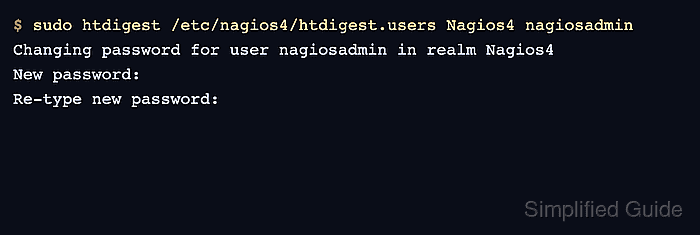
$ sudo htdigest /etc/nagios4/htdigest.users \
  Nagios4 nagiosadmin
Changing password for user nagiosadmin in realm Nagios4
New password:
Re-type new password:
Do not add -c when the password file already exists. -c recreates the file and can remove other web users from the same credential file.
- Confirm the user entry remains in the Digest file.
$ sudo grep '^nagiosadmin:Nagios4:' \
  /etc/nagios4/htdigest.users
nagiosadmin:Nagios4:0233dd21e1496eaa14ba1650277d4436
The hash value changes after the reset. Do not publish real password hashes from production systems in tickets or runbooks.
- Confirm the Nagios web URL requires authentication.
$ curl --head \
  http://monitor.example.net/nagios4/
HTTP/1.1 401 Unauthorized
WWW-Authenticate: Digest realm="Nagios4", qop="auth"
Content-Type: text/html; charset=iso-8859-1
If the URL returns HTTP 200 without credentials, the web path is not requiring Apache authentication. Configure Nagios CGI authorization before treating the password file as the access-control boundary.
Related: How to configure Nagios Core CGI authorization - Test the new password against the Nagios web URL.
$ curl --digest --user nagiosadmin --head \
  http://monitor.example.net/nagios4/
Enter host password for user 'nagiosadmin':
HTTP/1.1 401 Unauthorized
WWW-Authenticate: Digest realm="Nagios4", qop="auth"

HTTP/1.1 200 OK
Content-Type: text/html; charset=UTF-8
Use a private browser window for a manual login test so cached credentials from an old session do not hide a failed reset.