How to disable and enable Nagios Core service notifications
Nagios Core can suppress contact alerts at several layers, and the service notification switch is the narrow control for one monitored service. Disabling notifications keeps the service check running while preventing new contact notifications for that service until the switch is enabled again.
The web interface sends the change through cmd.cgi to the external command file. The change affects the selected service only; it does not pause active checks, acknowledge the current state, disable notifications for other services on the host, or stop global notification processing.
Use this control for a short suppression window when the service should continue updating in the status view but contacts should not be paged. Use scheduled downtime instead when the service is expected to fail during maintenance and the maintenance window should be visible in Nagios Core.
Steps to disable and enable service notifications in Nagios Core web interface:
- Open the Nagios Core web interface as a user allowed to submit service commands.
http://monitor.example.net/nagios4/
- Open Service Status Details for the service whose notifications should be suppressed.
- Confirm the host and service names at the top of the service detail page.
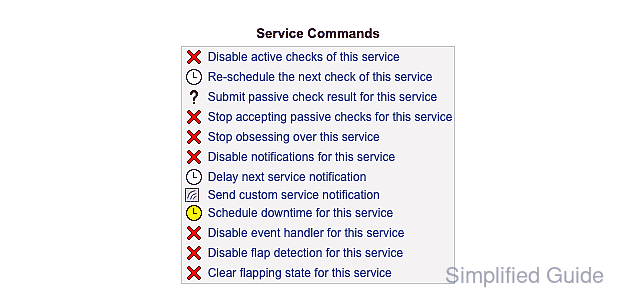
- Locate Service Commands and confirm the command list shows Disable notifications for this service.
The command list shows the inverse action for the current state. Disable notifications means notifications are currently enabled for that service.
- Click Disable notifications for this service.
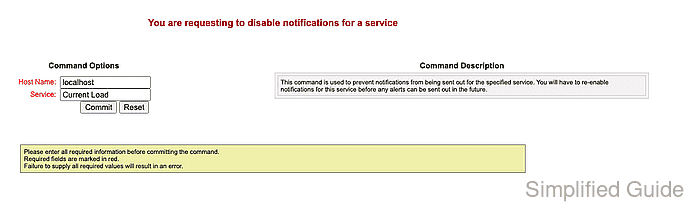
- Review Host Name, Service, and Command Description on the command form, and click Commit.
- Return to the service detail page after Nagios Core processes the external command.
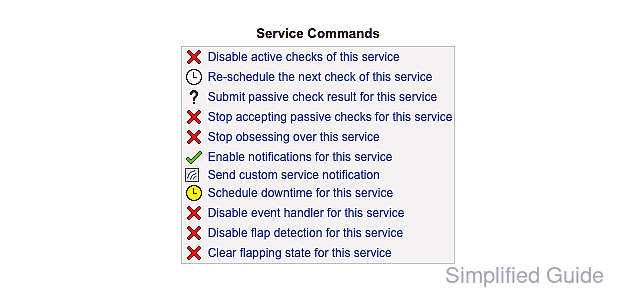
- Confirm Service Commands now shows Enable notifications for this service.
Do not leave service notifications disabled after the suppression window ends. The service can keep failing silently for contacts while checks continue to update the web UI.
- Click Enable notifications for this service when contacts should receive alerts again.
- Review the enable-notification command form, and click Commit.
- Return to the service detail page after Nagios Core processes the external command.
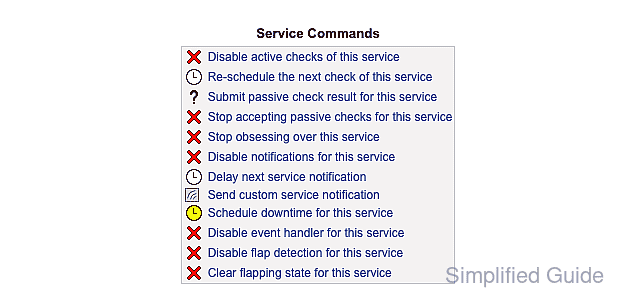
- Confirm Service Commands again shows Disable notifications for this service.
- Open Notifications under Reports if notification delivery needs to be reviewed after the change.