How to use Nagios Core macros in a command
Reusable Nagios Core command definitions keep plugin paths and option patterns in one object while hosts and services supply their own values. Macros are the placeholders that make that reuse work, because Nagios replaces them with the current host, service, argument, or custom variable before executing the command.
Standard macros such as $HOSTADDRESS$ and $SERVICEDESC$ come from the object being checked. Values after the command name in a check_command field become $ARG1$, $ARG2$, and later argument macros, while custom service variables defined with a leading underscore become macros such as $_SERVICEOWNER$.
Nagios substitutes macros before it starts the plugin, so object-file comments, quoting, argument separators, and custom variable names affect the command that actually runs. Keep shell-sensitive values out of custom variables unless the receiving plugin is written to handle them safely, and use a temporary check_dummy service to see expanded values before reusing the pattern with a production plugin.
Steps to use Nagios Core macros in a command:
- Create an object file for the macro-backed command.
$ sudoedit /etc/nagios4/conf.d/macro-echo.cfg
Ubuntu and Debian package installs load .cfg files from /etc/nagios4/conf.d. Use the object directory from the active nagios.cfg file when the installation uses a different layout.
- Add a host, command, and service that exercise host, service, argument, and custom-variable macros.
define host {
    use                     linux-server
    host_name               web01.example.net
    alias                   Web 01
    address                 192.0.2.10
}

define command {
    command_name            check_macro_echo
    command_line            $USER1$/check_dummy 0 "host=$HOSTNAME$ address=$HOSTADDRESS$ service=$SERVICEDESC$ path=$ARG1$ owner=$_SERVICEOWNER$"
}

define service {
    use                     generic-service
    host_name               web01.example.net
    service_description     Macro Echo
    check_command           check_macro_echo!/health
    _owner                  web-platform
}
$USER1$ expands to the plugin directory from the resource file, $HOSTNAME$ and $HOSTADDRESS$ come from the host object, $SERVICEDESC$ comes from the service object, $ARG1$ receives /health from the bang-separated command argument, and $_SERVICEOWNER$ receives the service custom variable. Escape a literal exclamation point in a command argument as \! because unescaped ! characters separate $ARGn$ values.
Do not place a literal semicolon in command_line. Nagios treats semicolons as object-file comments, so the rest of the line is ignored.
- Validate the full Nagios Core configuration.
$ sudo nagios4 -v \
  /etc/nagios4/nagios.cfg
Nagios Core 4.4.6
##### snipped #####
Reading configuration data...
   Read main config file okay...
   Read object config files okay...
##### snipped #####
Total Warnings: 0
Total Errors:   0

Things look okay - No serious problems were detected during the pre-flight check
Fix every reported object or command error before reloading the daemon.
Related: How to validate the Nagios Core configuration - Reload Nagios Core after validation reports zero errors.
$ sudo systemctl reload nagios4
Ubuntu and Debian package installs use the nagios4 service name. Source installs may use nagios or a direct SIGHUP signal instead.
Related: How to manage the Nagios Core system service - Reschedule the Macro Echo service check from the Nagios Core web UI.
Waiting for the next active check also works, but a forced check gives immediate output while testing the macro pattern.
Related: How to reschedule an active check in Nagios Core - Verify the service output contains the expanded macro values.
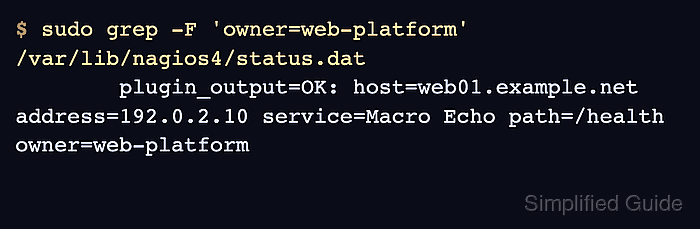
$ sudo grep -F 'owner=web-platform' /var/lib/nagios4/status.dat
	plugin_output=OK: host=web01.example.net address=192.0.2.10 service=Macro Echo path=/health owner=web-platform
The Macro Echo service output should show the host name, address, service description, argument value, and custom owner value instead of the original macro tokens.
- Remove the temporary macro echo object after copying the pattern into the real check command.
$ sudo rm /etc/nagios4/conf.d/macro-echo.cfg
Run the pre-flight check and reload Nagios Core again after removing the demonstration object.