How to reschedule an active check in Nagios Core
Active checks in Nagios Core can lag behind a real recovery because each host or service follows its configured check interval. Rescheduling a check from the web interface asks Nagios to retest the selected object sooner, which is useful after fixing a failing service or adding a check that is still pending.
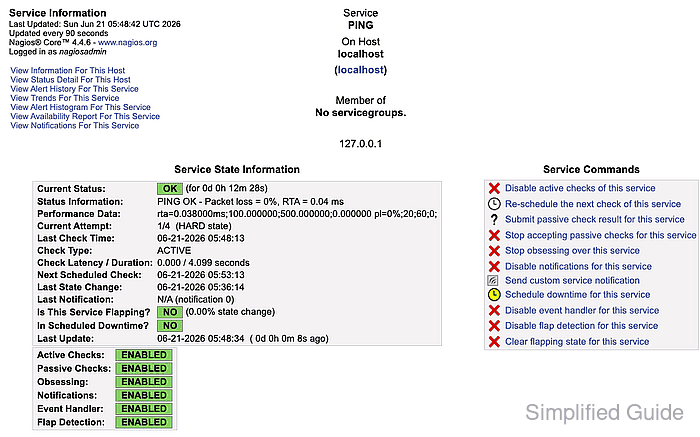
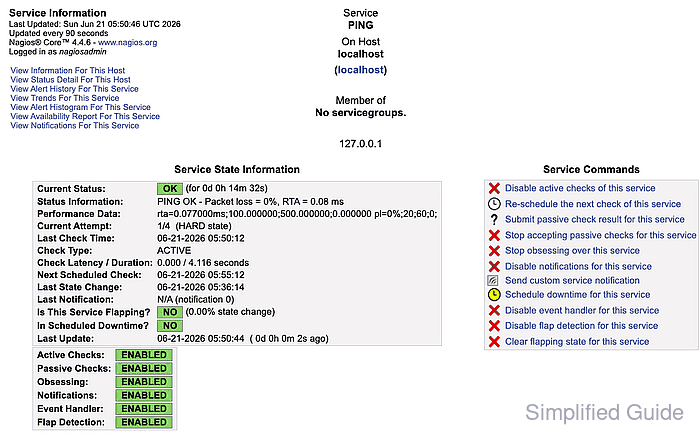
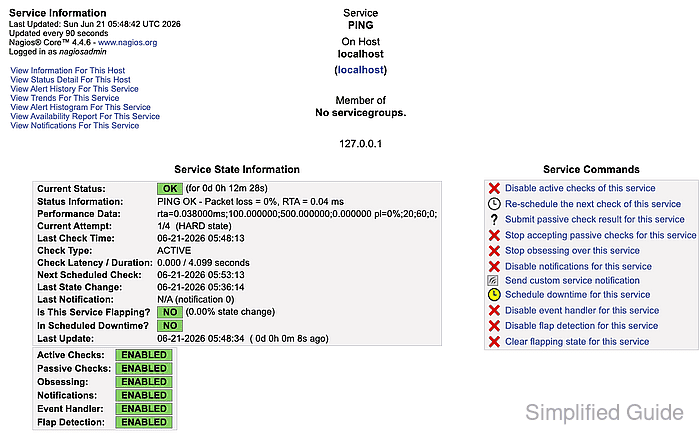
The action lives on the host or service detail page under Host Commands or Service Commands. Nagios sends the request through cmd.cgi into the external command file, so both external commands and CGI command authorization must be working before the scheduler accepts the request.
Leaving Force Check selected submits a forced service check, which uses SCHEDULE_FORCED_SVC_CHECK and bypasses normal time-period or active-check-disabled delays for that object. The submitted-command screen confirms that cmd.cgi accepted the request; the service detail page proves completion when Last Check Time changes and Check Type shows ACTIVE.
Steps to reschedule an active service check in Nagios Core:
- Open Service Status Details for the service to retest.
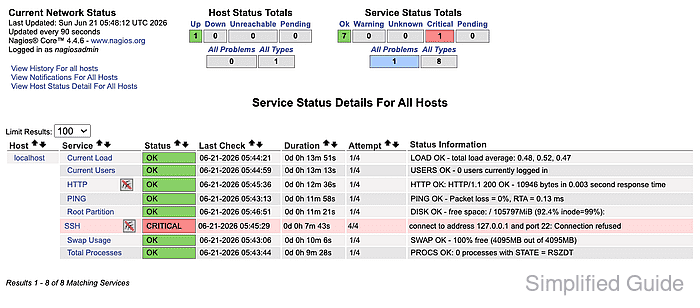
Use a CGI user allowed to submit service commands. Command links can be hidden or rejected when external commands or CGI authorization are not configured.
Related: How to enable external commands in Nagios Core
Related: How to configure Nagios Core CGI authorization - Click Re-schedule the next check of this service in Service Commands.
- Confirm Host Name, Service, and Check Time on the command form.
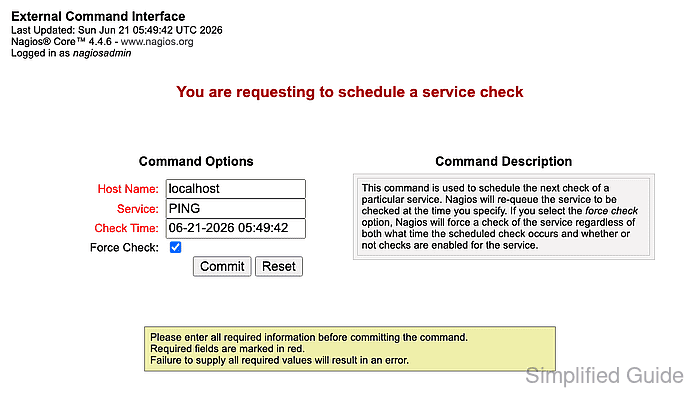
Keep Force Check selected when the check should run even if the regular schedule or active-check setting would otherwise delay it.
- Click Commit to submit the command.
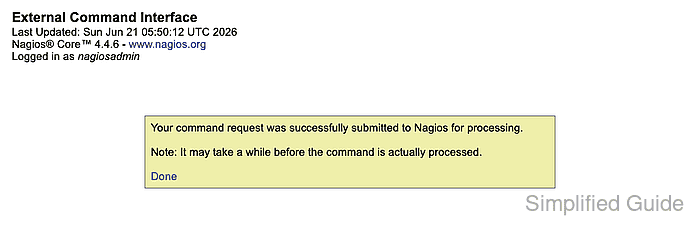
The success message means the command request reached Nagios for processing, not that the check result has already changed.
- Confirm Last Check Time changed and Check Type shows ACTIVE on the service detail page.