How to create a user in MySQL or MariaDB
Creating a dedicated database login for an application, automation task, or human operator keeps you from sharing the server's administrative account and lets you limit what that login can actually change.
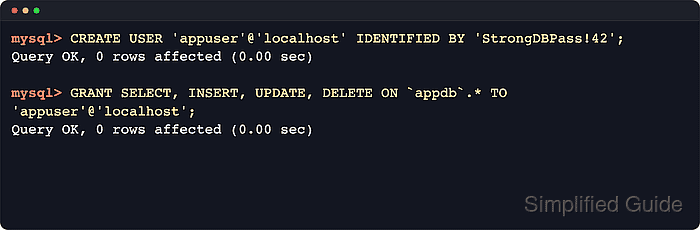
In MySQL and MariaDB, an account is the full 'user'@'host' identity, not just the user name. CREATE USER adds the account entry with no data privileges, and GRANT attaches the minimum permissions that exact account needs on the target schema.
Choose the host portion deliberately before you create the account. If you omit it, both products treat the account name as 'user'@'%', and servers running with skip_name_resolve match TCP clients by IP address rather than host names. Use a strong password, keep the host scope narrow, and grant only the privileges the workload actually needs.
Steps to create a user in MySQL or MariaDB:
- Connect with an administrative account in the mysql or mariadb client.
$ mysql -u root -p
Enter password:
mysql>
Some Linux installations use socket authentication for the local administrator, so you may need to start the client through sudo instead of authenticating root with a password. When you use the MariaDB client, the prompt may show MariaDB instead of mysql.
- Create the account with the exact host it should use.
mysql> CREATE USER 'appuser'@'localhost' IDENTIFIED BY 'StrongDBPass!42';
Query OK, 0 ROWS affected (0.00 sec)
If you omit the host part entirely, current MySQL and MariaDB create 'appuser'@'%' instead.
Keep the host as narrow as possible. On servers with skip_name_resolve enabled, 'appuser'@'localhost' does not match TCP logins to 127.0.0.1, so create an IP-based account such as 'appuser'@'127.0.0.1' or the real client address when the application connects over TCP. Weak passwords can also be rejected by validation policies with errors such as ERROR 1819.
- Grant only the privileges the account needs on the target schema.
mysql> GRANT SELECT, INSERT, UPDATE, DELETE ON `appdb`.* TO 'appuser'@'localhost';
Query OK, 0 ROWS affected (0.00 sec)
Replace appdb with the schema the login should use. If the database does not exist yet, create it first: How to create a database in MySQL or MariaDB.
- Review the effective grants for the new account.
mysql> SHOW GRANTS FOR 'appuser'@'localhost';
+----------------------------------------------------------------------------+
| Grants FOR appuser@localhost                                               |
+----------------------------------------------------------------------------+
| GRANT USAGE ON *.* TO `appuser`@`localhost`                                |
| GRANT SELECT, INSERT, UPDATE, DELETE ON `appdb`.* TO `appuser`@`localhost` |
+----------------------------------------------------------------------------+
2 ROWS IN SET (0.00 sec)
Seeing only GRANT USAGE means the account exists but has not been given data access yet. MariaDB can also include an IDENTIFIED BY PASSWORD clause in this output; redact that hash before sharing logs or screenshots.
- Exit the administrative client before testing the new login.
mysql> exit
Bye
- Verify the login works against the intended schema.
$ mysql --table -u appuser -p -D appdb -e "SELECT CURRENT_USER() AS current_account, DATABASE() AS current_db;"
Enter password:
+-------------------+------------+
| current_account   | current_db |
+-------------------+------------+
| appuser@localhost | appdb      |
+-------------------+------------+
CREATE USER and GRANT take effect immediately, so you do not need FLUSH PRIVILEGES after these statements. Reserve FLUSH PRIVILEGES for cases where someone edited the mysql grant tables directly.
If this test returns Access denied for user 'appuser'@'127.0.0.1', the client is using TCP and the account host does not match. Create a matching 'appuser'@'127.0.0.1' or remote-IP entry, then grant the same privileges to that exact account.