How to install MariaDB server on Windows
Installing MariaDB Server on Windows gives development, testing, and lab machines a local SQL service without depending on a shared database host or disposable cloud instance.
The official MariaDB Community Server .msi installer is the standard interactive setup path on Windows. It can install the MYSQLSERVER engine, create a Database instance, register that instance as a Windows service, and add Start menu shortcuts for a MariaDB-aware command prompt and common maintenance tools.
Current Windows packages target x64 systems, and the wizard asks for settings that materially affect the finished instance, including the root password, whether TCP/IP networking stays enabled on port 3306, whether remote root logins are allowed, and the service name used by Services and sc query. Local administrator rights are required for service registration and writes under Program Files.
Steps to install MariaDB server on Windows:
- Open the official MariaDB downloads page in a browser.
https://mariadb.org/download/
- Select a supported MariaDB Community Server release and download its Windows x64 .msi package.
MariaDB documents MSI packages as the normal interactive Windows installation path. Current packages are x64, while x86 packages exist only for some older archived releases.
- Run the downloaded installer with administrator approval.
Service registration and writes under C:\Program Files usually fail or prompt for elevation when the installer is started without administrative rights.
- Click Next on the Welcome page.
- Accept the license agreement and click Next.
- Keep MYSQLSERVER, Client, and DBInstance selected in Custom Setup.
The installer creates and configures a local database instance only when DBInstance stays enabled.
- Change the installation location only if the default path does not fit the machine.
The instance data directory defaults to data under the installation root unless the Database instance feature is opened and changed in the feature tree.
- Set a strong password for root, keep Create anonymous account cleared, and leave remote root access disabled.
Remote root access increases blast radius if the password leaks and is rarely needed on a workstation or single-developer machine.
- Keep Install as service enabled and keep the service name set to MariaDB.
MariaDB documents MariaDB as the default MSI service name for MariaDB 10.4 and later.
- Keep Enable networking selected and keep the port at 3306 unless another database server already uses it.
Clearing Enable networking switches the instance to named-pipe access only. Remote access later also requires a Windows firewall rule and explicit grants for non-local users.
- Review the remaining instance options and click Install.
The MSI wizard defaults the InnoDB buffer pool size to about one-eighth of system RAM, which is acceptable for most local development installs.
- Click Finish after the installer completes.
If a Database instance was installed as a service, MariaDB documents that the service is already running at the end of setup.
- Open Start → MariaDB → Command Prompt.
This shortcut starts a shell with the MariaDB bin directory added to PATH for that session.
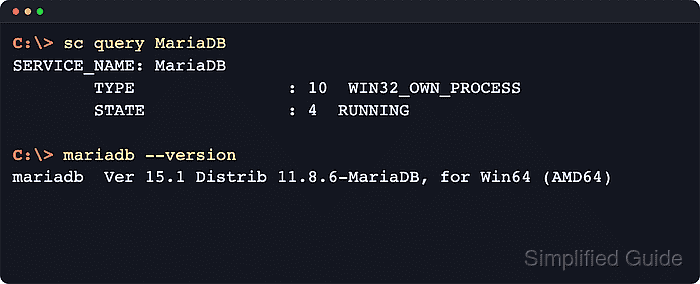
- Confirm the Windows service is running.
C:\> sc query MariaDB

SERVICE_NAME: MariaDB
        TYPE               : 10  WIN32_OWN_PROCESS
        STATE              : 4  RUNNING
                                (STOPPABLE, NOT_PAUSABLE, ACCEPTS_SHUTDOWN)
        WIN32_EXIT_CODE    : 0  (0x0)
        SERVICE_EXIT_CODE  : 0  (0x0)
        CHECKPOINT         : 0x0
        WAIT_HINT          : 0x0
Replace MariaDB with the configured service name when a custom service name was chosen in the wizard.
- Verify the installed client version.
C:\> mariadb --version
mariadb  Ver 15.1 Distrib 11.8.6-MariaDB, for Win64 (AMD64)
The version number should match the .msi package selected from the MariaDB downloads page. Windows still ships mysql.exe as an alternate client binary name, but mariadb is the current primary command.
- Connect to the local server as root over TCP.
C:\> mariadb --user=root --password --host=127.0.0.1 --port=3306
Enter password: ********
Welcome to the MariaDB monitor.  Commands end with ; or \g.
Your MariaDB connection id is 9
Server version: 11.8.6-MariaDB MariaDB Server

Type 'help;' or '\h' for help. Type '\c' to clear the current input statement.
- Verify the server version and listening port.
MariaDB [(none)]> SELECT VERSION(), @@port;
+----------------+--------+
| VERSION()      | @@port |
+----------------+--------+
| 11.8.6-MariaDB |   3306 |
+----------------+--------+
1 row in set (0.00 sec)
- Create a dedicated application database and local account.
MariaDB [(none)]> CREATE DATABASE appdb;
Query OK, 1 row affected (0.01 sec)

MariaDB [(none)]> CREATE USER 'appuser'@'localhost' IDENTIFIED BY 'StrongPassword!ChangeMe';
Query OK, 0 rows affected (0.00 sec)

MariaDB [(none)]> GRANT ALL PRIVILEGES ON appdb.* TO 'appuser'@'localhost';
Query OK, 0 rows affected (0.00 sec)
Use a dedicated application user instead of root for normal app connections so schema changes, grants, and accidental destructive queries stay scoped.
- Confirm only local root host entries exist.
MariaDB [(none)]> SELECT User, Host FROM mysql.user WHERE User='root';
+------+-----------+
| User | Host      |
+------+-----------+
| root | localhost |
| root | 127.0.0.1 |
| root | ::1       |
+------+-----------+
3 rows in set (0.00 sec)
If the result shows wildcard or remote host entries such as '%', the instance still accepts remote root logins.
- Confirm anonymous accounts and the test database are absent.
MariaDB [(none)]> SELECT User, Host FROM mysql.user WHERE User='';
Empty set (0.00 sec)

MariaDB [(none)]> SHOW DATABASES LIKE 'test';
Empty set (0.00 sec)
- Exit the MariaDB client.
MariaDB [(none)]> quit
Bye