How to delete a database in MySQL or MariaDB
Removing an obsolete schema in MySQL or MariaDB reduces the chance of pointing restores, application settings, or ad-hoc queries at the wrong database. It also keeps backup jobs and day-to-day administration focused on schemas that still matter.
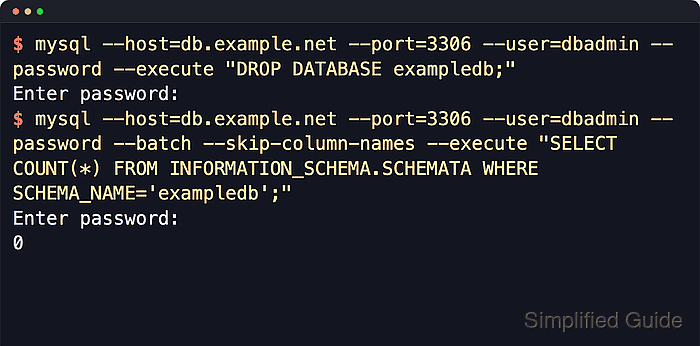
Current MySQL and MariaDB documentation keeps the syntax at DROP {DATABASE | SCHEMA} [IF EXISTS] db_name. DROP SCHEMA remains a synonym for DROP DATABASE, and the statement drops the database and the objects stored inside it, so confirming the target host and target schema is more important than the deletion syntax itself.
The change is destructive and not something a transaction can roll back, so the practical undo path is a dump, snapshot, or other backup taken before the drop. Current MariaDB packages often use mariadb and mariadb-dump instead of the older mysql and mysqldump compatibility names, and vendor docs also note that database-specific grants are not removed automatically when the schema disappears.
Steps to delete a MySQL or MariaDB database:
- Open a terminal that can reach the database server and use an administrative account, or another account with the DROP privilege on the target schema.
- Confirm the connected host, port, version, and exact database name before deleting anything.
$ mysql --host=db.example.net --port=3306 --user=dbadmin --password --table --execute "SELECT @@hostname AS host, @@port AS port, @@version AS version; SHOW DATABASES LIKE 'exampledb';"
Enter password:
+--------------+------+---------+
| host         | port | version |
+--------------+------+---------+
| db-01        | 3306 | 8.4.9   |
+--------------+------+---------+
+----------------------+
| Database (exampledb) |
+----------------------+
| exampledb            |
+----------------------+
Do not rely on memory for the target name on multi-database servers. If this command does not show exactly one matching schema, stop and verify the intended database first.
On current MariaDB systems, replace mysql with mariadb when the MySQL compatibility client is not installed.
- Create a logical backup before dropping the schema.
$ mysqldump --host=db.example.net --port=3306 --user=dbadmin --password --single-transaction --quick --routines --events --triggers --databases exampledb > ./exampledb-before-drop.sql
Enter password:
$ ls -lh ./exampledb-before-drop.sql
-rw-r--r-- 1 dbadmin dbadmin 3.4K Jun  6 20:16 ./exampledb-before-drop.sql
Confirm the dump file exists and is non-empty before continuing. For same-name restores, --databases is useful because it writes CREATE DATABASE and USE statements into the dump.
--single-transaction gives a consistent backup for InnoDB tables without a global read lock. On current MariaDB systems, use mariadb-dump instead of mysqldump, and restore the file with the matching mariadb client because recent dumps can start with a sandbox-mode line.
- Delete the database with a one-shot SQL command.
$ mysql --host=db.example.net --port=3306 --user=dbadmin --password --execute "DROP DATABASE exampledb;"
Enter password:
DROP DATABASE permanently removes exampledb and the objects stored under it. Do not target system schemas such as mysql, information_schema, performance_schema, or sys.
For scripted cleanup where the schema may already be absent, use DROP DATABASE IF EXISTS exampledb; so a missing database does not stop the script.
- Verify that the schema is gone from the server catalog.
$ mysql --host=db.example.net --port=3306 --user=dbadmin --password --batch --skip-column-names --execute "SELECT COUNT(*) FROM INFORMATION_SCHEMA.SCHEMATA WHERE SCHEMA_NAME='exampledb';"
Enter password:
0
A result of 0 means the server no longer lists the schema. Database-level grants can still show entries such as GRANT SELECT ON exampledb.* after the schema is gone, so revoke stale privileges or remove single-purpose accounts separately. Related: How to revoke privileges from MySQL or MariaDB users.