How to install MariaDB client on Windows
Installing the MariaDB client on Windows gives you a local SQL shell for remote administration, quick queries, exports, and troubleshooting without turning the PC into a database host.
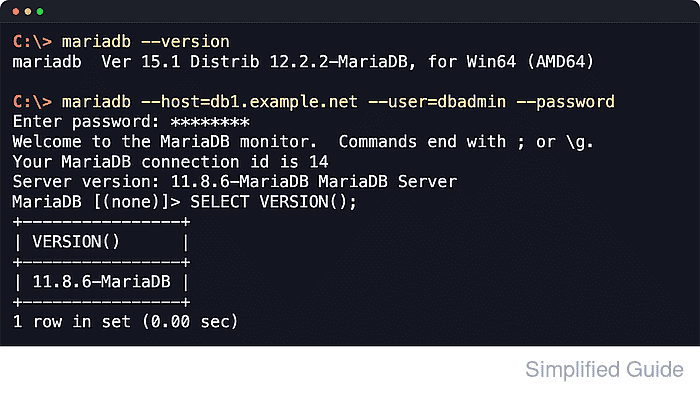
On current 64-bit Windows releases, the official MariaDB Community Server .msi package includes the command-line client utilities. The primary client command is mariadb, while mysql.exe remains available on Windows as an alternate binary name, and the installer exposes separate features for the client tools, the server, a database instance, and optional extras.
A client-only install fits operator workstations because it avoids creating a local MariaDB service and data directory. The official .msi flow still needs local administrator approval, and the Start menu Command Prompt shortcut or a manual PATH entry ensures the client binaries resolve cleanly after setup.
Steps to install MariaDB client on Windows:
- Open the official MariaDB Community Server downloads page in a browser.
https://mariadb.com/downloads/community/community-server/
- Select Community Server for MS Windows (64-bit x86) and download the current .msi package.
The downloads page also lists Connector/C for application development, but that package does not replace the interactive mariadb.exe client used for terminal sessions.
- Run the downloaded .msi installer with administrator approval.
The installer writes under C:\Program Files and can register Windows components, so standard-user launches may prompt for elevation.
- Choose the Custom Setup path in the installer so you can control the installed features.
- Keep Client selected in the feature tree.
The official feature list defines Client as the command-line client programs.
- Clear MYSQLSERVER and DBInstance before continuing.
Leaving those features enabled installs the server and a local database instance, which creates a Windows service and local data directory that a client-only workstation does not need.
- Decide whether to keep HeidiSQL selected.
HeidiSQL is optional for this page's CLI workflow, so leave it enabled only if you also want a separate GUI client.
- Finish the installer.
- Open Start → MariaDB → Command Prompt.
MariaDB documents this shortcut as a shell whose environment already includes the installation bin directory on PATH for that session.
- Verify the client version.
C:\> mariadb --version
mariadb  Ver 15.1 Distrib 12.2.2-MariaDB, for Win64 (AMD64)
The current client command is mariadb. On Windows, mysql.exe is still available as an alternate binary name.
- Add the MariaDB bin directory to your regular PATH if you want the client available in standard Command Prompt or PowerShell sessions.
- Open a new terminal window after any PATH change.
Already-open shells keep the old environment until they are restarted.
- Confirm Windows can resolve the client binary.
C:\> where mariadb
C:\Program Files\MariaDB 12.2\bin\mariadb.exe
If where mariadb returns nothing, run the client from the MariaDB Command Prompt shortcut or use the full bin path directly.
- Run a remote version query to confirm the client can connect and execute SQL.
C:\> mariadb --host=db1.example.net --user=dbadmin --password --batch --execute="SELECT VERSION()"
Enter password: ********
VERSION()
11.8.6-MariaDB
Use --password without a value so the client prompts securely. Avoid --password=... because command-line arguments can appear in process listings and shell history.