How to install MariaDB or MySQL client on Ubuntu
Installing a database client on Ubuntu lets an operator run SQL checks, test credentials, and troubleshoot access to a remote MySQL or MariaDB server without running a local database daemon.
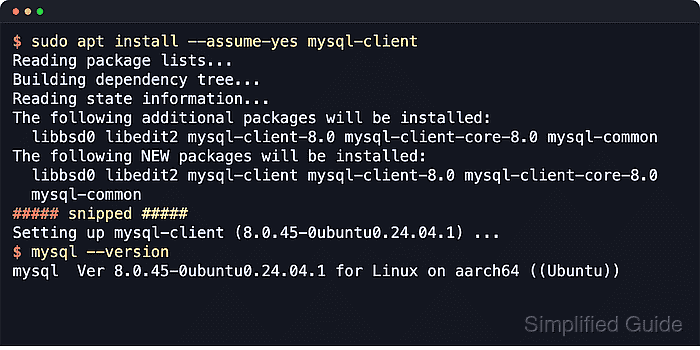
Ubuntu publishes separate client package families for MySQL and MariaDB. The mysql-client package installs the Oracle MySQL command-line tools from the Ubuntu repositories, while mariadb-client installs the MariaDB client tools and also provides a compatible mysql command name.
Pick one client family per host and keep the choice intentional. Current Ubuntu packages do not keep both client cores side by side; switching from mysql-client to mariadb-client removes the MySQL client packages and points mysql at the MariaDB client. Avoid putting database passwords directly on the command line, because process listings and shell history can expose them.
Steps to install MariaDB or MySQL client on Ubuntu:
- Open a terminal with an account that can use sudo.
- Refresh the apt package index before installing client packages.
$ sudo apt update
Get:1 http://archive.ubuntu.com/ubuntu resolute InRelease [136 kB]
Get:2 http://security.ubuntu.com/ubuntu resolute-security InRelease [137 kB]
Get:3 http://archive.ubuntu.com/ubuntu resolute-updates InRelease [137 kB]
Get:4 http://archive.ubuntu.com/ubuntu resolute-backports InRelease [136 kB]
##### snipped #####
Reading package lists...
Building dependency tree...
Reading state information...
- Decide which client family should stay installed on the host.
mysql-client and mariadb-client are separate package families. Installing mariadb-client after mysql-client can remove the existing MySQL client packages, so avoid treating them as side-by-side installs unless the host is meant to switch tools.
- Install the MySQL client package from the Ubuntu repositories.
$ sudo apt install --assume-yes mysql-client
Reading package lists...
Building dependency tree...
Reading state information...
Solving dependencies...
Installing:
  mysql-client

Installing dependencies:
  libedit2                 libtcmalloc-minimal4t64  mysql-common
  libgoogle-perftools4t64  mysql-client-core
##### snipped #####
Setting up mysql-client (8.4.9-0ubuntu0.26.04.1) ...
- Confirm the MySQL client binary is available.
$ mysql --version
mysql  Ver 8.4.9-0ubuntu0.26.04.1 for Linux on aarch64 ((Ubuntu))
The installed mysql client can connect to both MySQL and MariaDB servers when the remote server accepts the selected user, authentication method, and TLS policy.
- Install the MariaDB client package instead when the host should use MariaDB tooling.
$ sudo apt install --assume-yes mariadb-client
Reading package lists...
Building dependency tree...
Reading state information...
Solving dependencies...
Installing:
  mariadb-client

Installing dependencies:
  libedit2            libmariadb3      mariadb-client-core  perl
  libgdbm-compat4t64  libncurses6      mariadb-common       perl-modules-5.40
  libgdbm6t64         libpcre2-posix3  mysql-common
  libgpm2             libperl5.40      netbase
##### snipped #####
Setting up mariadb-client (1:11.8.6-5) ...
If mysql-client is already installed, run the install without --assume-yes first when the host owner needs to review the REMOVING section before the package switch.
- Confirm the MariaDB client binary is available.
$ mariadb --version
mariadb from 11.8.6-MariaDB, client 15.2 for debian-linux-gnu (aarch64) using  EditLine wrapper
Current MariaDB client packages on Ubuntu also provide /usr/bin/mysql, which helps with scripts that still call mysql.
- Run a one-shot query against the remote database server to confirm the chosen client can authenticate and reach the service.
$ mysql --host=db.example.net --user=app_ro --password --execute="SELECT 1;"
Enter password:
+---+
| 1 |
+---+
| 1 |
+---+
The same connection syntax works with mariadb by replacing the command name when the MariaDB binary is preferred.
Avoid --password=secret, because command-line arguments can be exposed through shell history and process inspection.
A per-user options file reduces repeated typing:
$ cat ~/.my.cnf
[client]
host=db.example.net
user=app_ro
Lock it down with chmod 600 ~/.my.cnf.