How to limit disk usage for System Restore in Windows 11
System Restore in Windows 11 relies on restore points to roll back system changes, but those snapshots can quietly consume significant disk space over time. Capping the space budget keeps restore points available without letting them crowd out other data on smaller drives.
Restore points are stored per drive as shadow copies created through the Volume Shadow Copy Service. Windows 11 maintains a shadow storage area and deletes older restore points automatically when the allocated space is reached, so the Max Usage value controls how many restore points can be retained.
The limit is configured independently for each protected drive and typically requires administrator approval. Reducing the limit can immediately remove older restore points to meet the new cap, so set a value that still preserves enough rollback history for the system’s change rate.
Steps to limit disk usage for System Restore in Windows 11:
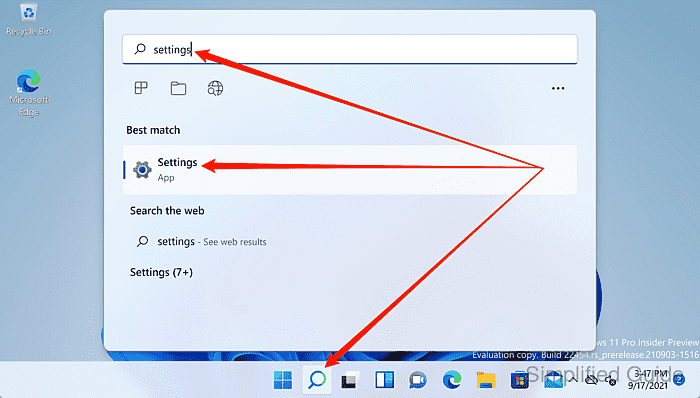
- Open Settings.
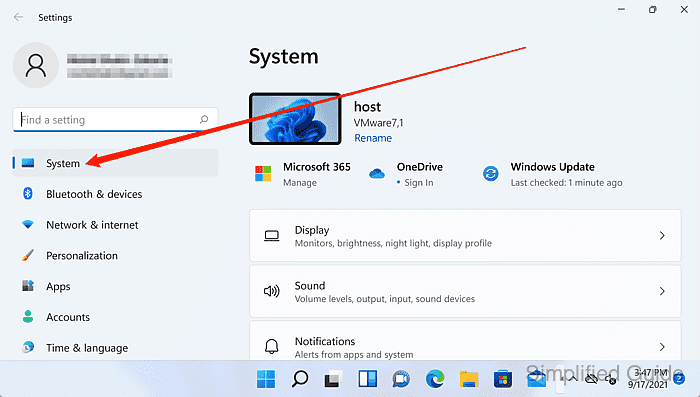
- Select System from the sidebar.
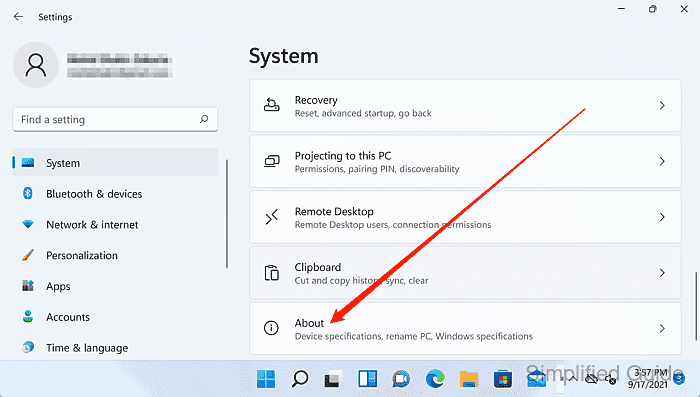
- Click About.
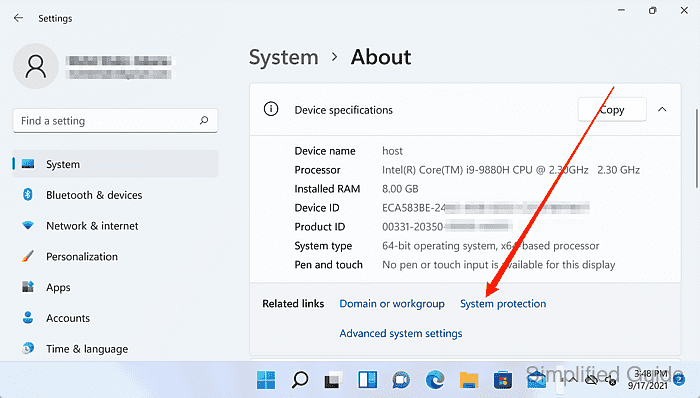
- Click System protection under Related links.
- Select the drive to manage under Protection Settings.
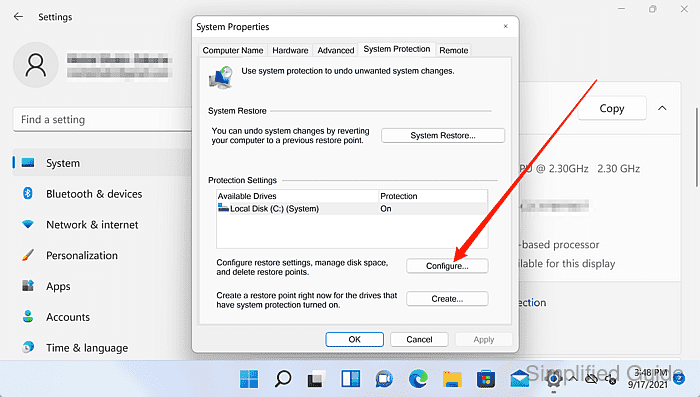
- Click Configure.
A User Account Control confirmation may appear; select Yes to continue.
- Adjust the Max Usage slider to the required percentage.
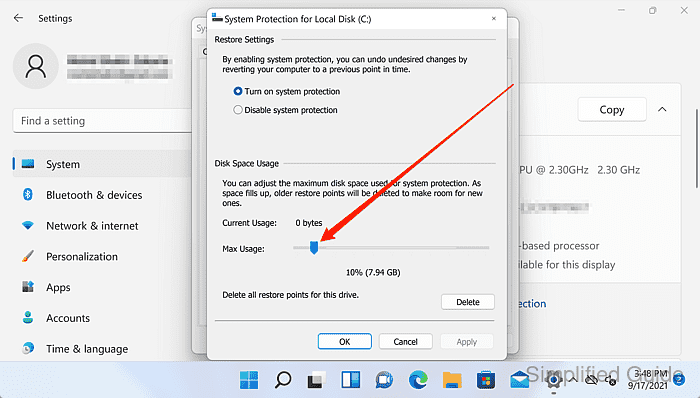
Reducing Max Usage can delete older restore points to fit the new limit.
- Confirm the updated Max Usage value is shown under Disk Space Usage.
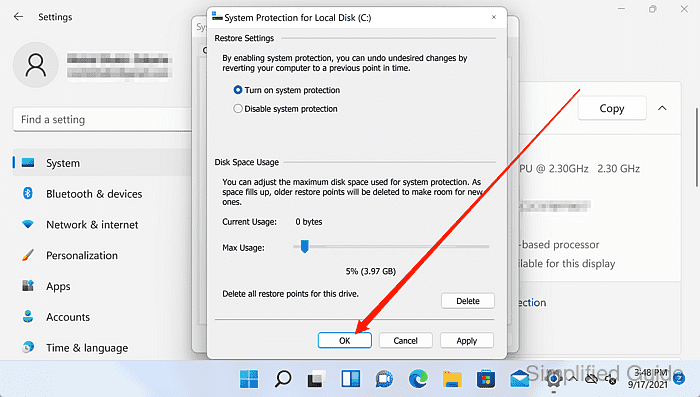
- Click OK to apply the disk usage change and close the configuration dialog.
- Click OK in System Properties to close the System Protection tab.