How to restore Master Boot Records (MBR) using Windows
Corruption in the Master Boot Record (MBR) can prevent a Windows PC from starting even when partitions and files remain intact. Restoring the MBR rewrites the first-stage boot code so startup can continue normally.
On legacy BIOS systems that boot from an MBR-partitioned disk, the first sector contains executable boot code plus the disk’s partition table. The Windows recovery command bootrec /FixMbr replaces the boot code with a standard Windows-compatible version while leaving existing partitions in place.
The procedure targets BIOS or “Legacy” boot problems on MBR disks and does not fix UEFI boot failures on GPT disks (which typically involve the EFI System Partition and BCD entries). In dual-boot setups, rewriting the MBR removes third-party boot loaders such as GRUB, so other operating systems may require boot loader repair afterward.
Steps to restore Master Boot Records (MBR) using Windows:
- Boot the PC from the Windows installation USB or DVD.
Most systems provide a one-time boot menu key (commonly F12, Esc, or F9) to select the install media without changing firmware settings.
- Press any key when the installer boot prompt appears.

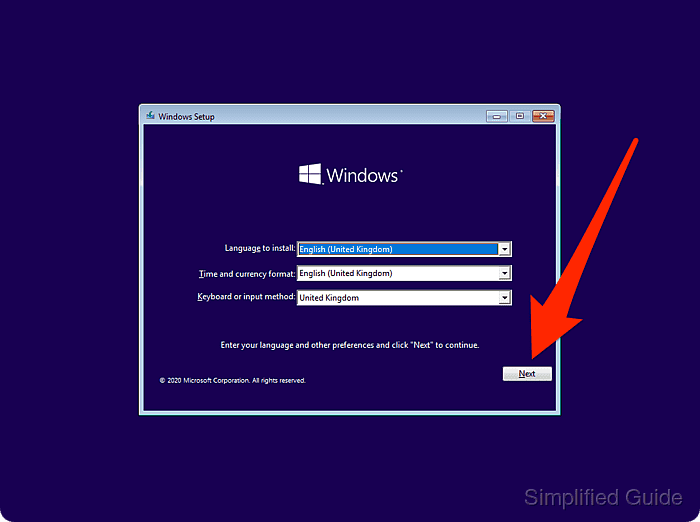
- Select the language, time format, and keyboard layout and click Next.
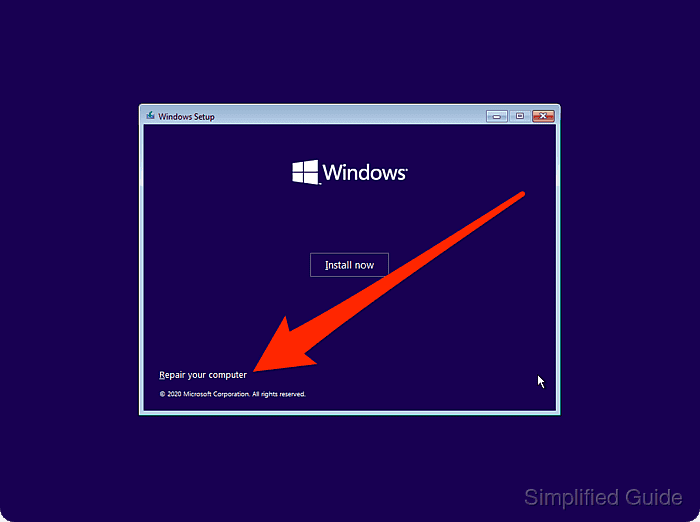
- Select Repair your computer.
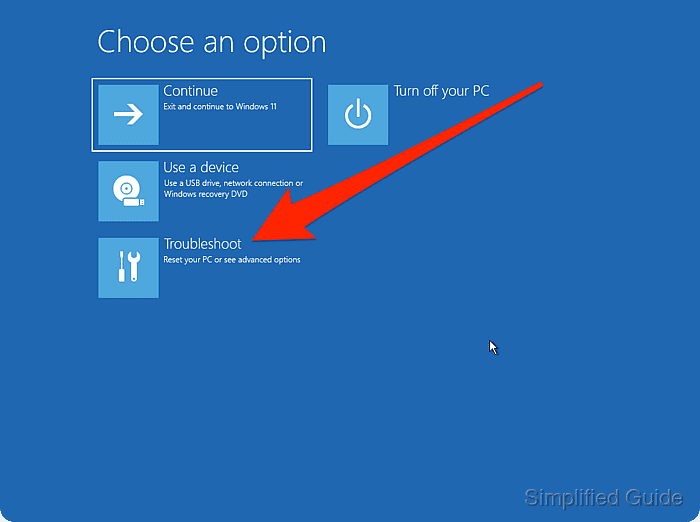
- Select Troubleshoot.
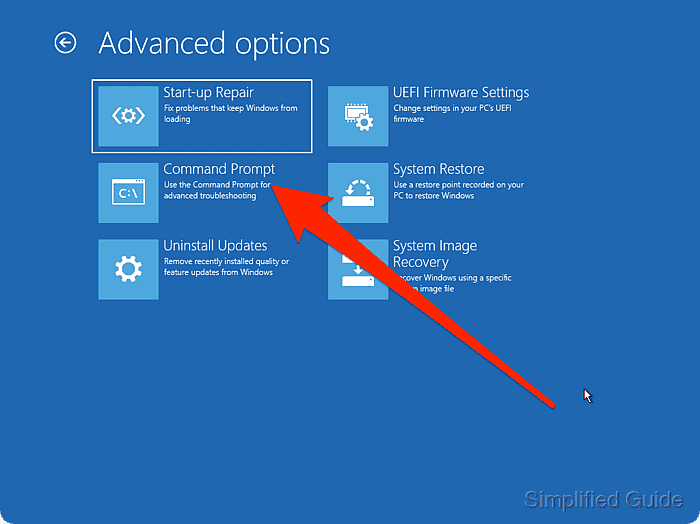
- Open Advanced options.
- Open Command Prompt.
- Run bootrec /FixMbr to rewrite the Windows MBR boot code.
X:\Sources> bootrec /FixMbr
The operation completed successfully.
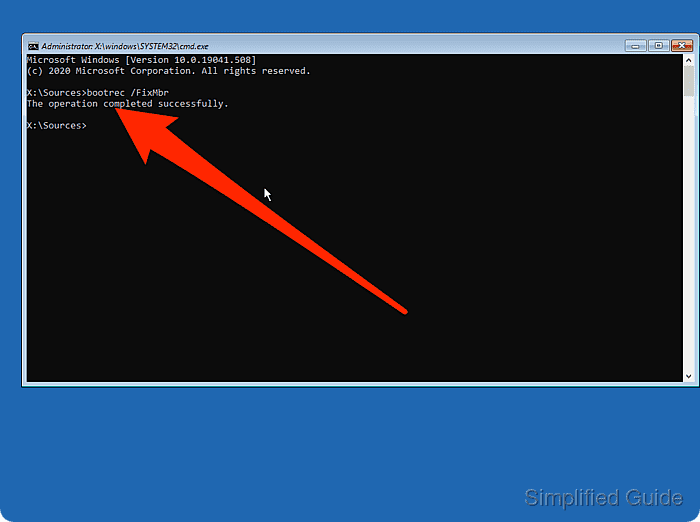
The command updates the boot code area of the MBR and does not rewrite the partition table.
In multi-boot setups, bootrec /FixMbr replaces third-party boot loaders (such as GRUB), which can prevent other operating systems from booting until their boot loader is restored.
- Exit Command Prompt.
X:\Sources> exit
- Select Continue to exit recovery and boot into Windows.
- Remove the installation USB or DVD when the system begins rebooting.
- Verify the system reaches the Windows sign-in screen.