How to open Command Prompt as administrator on Windows
Opening Command Prompt with elevated permissions enables administrative commands that would otherwise fail with “Access is denied”, such as managing services, changing protected system settings, or querying privileged system state.

C:\Users\user>net session
System error 5 has occurred.
Access is denied.
On modern Windows versions, User Account Control (UAC) launches consoles with a standard access token by default, even for accounts in the Administrators group. Starting an elevated cmd.exe instance creates a separate process with a full administrator token, which is typically shown by an Administrator: prefix in the window title.
Elevation may require confirming a UAC prompt or entering administrator credentials on non-admin accounts, and everything started from that elevated window inherits full rights. Keep elevated sessions short, avoid running untrusted scripts, and close the elevated console after completing the required task.
Steps to open Command Prompt as administrator in Windows 11:
- Confirm the current account is an Administrator account.

Non-admin accounts typically show a credential prompt instead of a simple approval dialog.
- Open the taskbar search box.
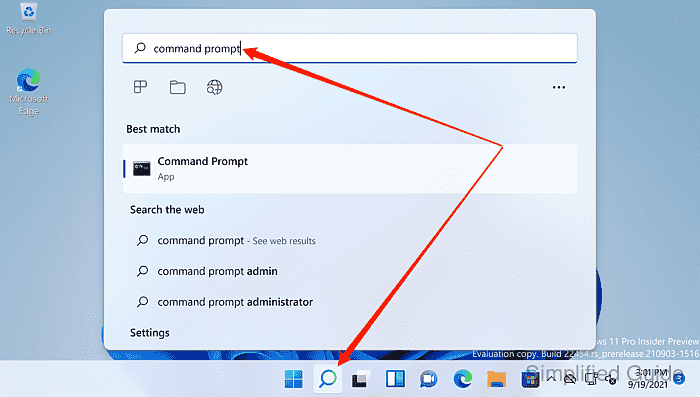
- Search for command prompt.
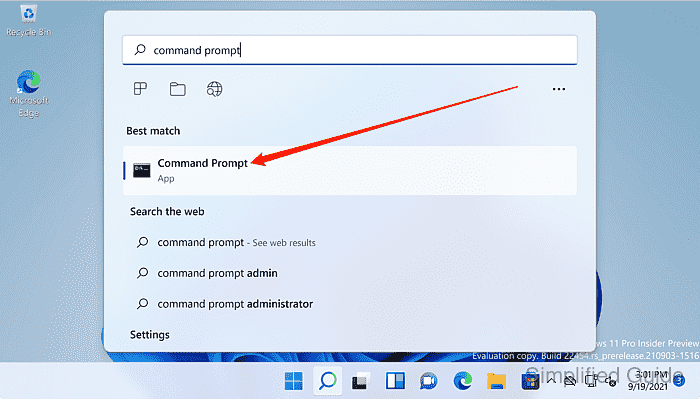
Use Ctrl+Shift+Enter to start the selected result elevated from the search results.
- Right-click Command Prompt in the results list.
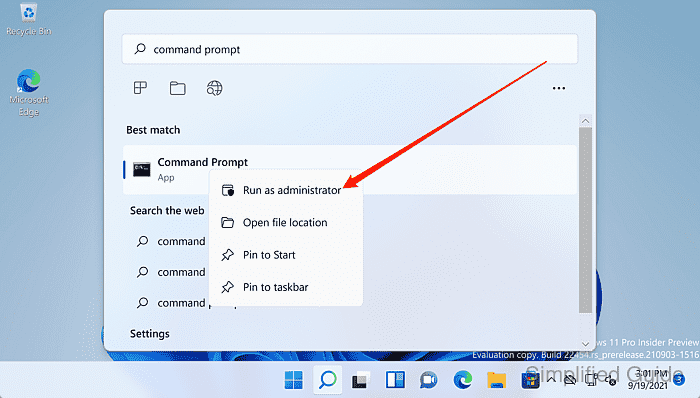
- Select Run as administrator.
- Approve the User Account Control prompt.
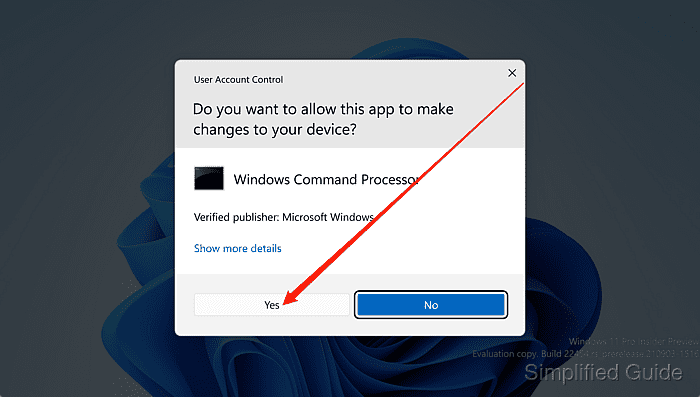
Anything launched from the elevated Command Prompt runs with full administrator rights and can make system-wide changes.
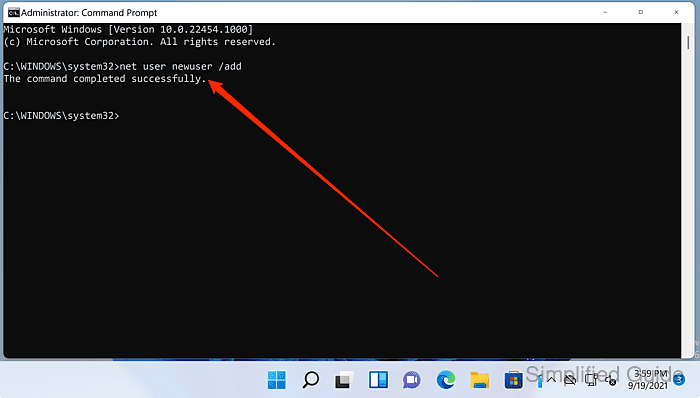
- Verify the title bar shows Administrator: Command Prompt.
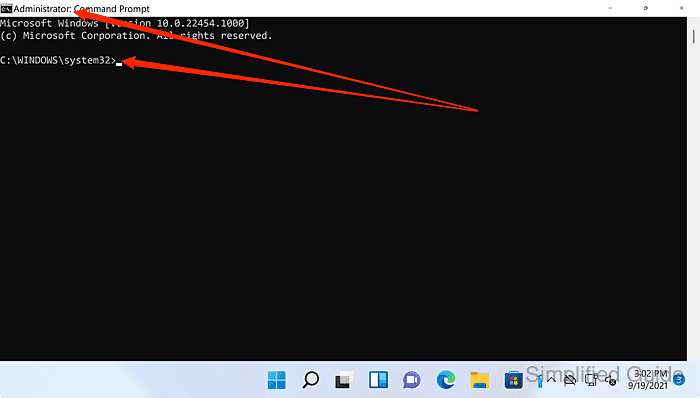
An elevated prompt commonly opens in /C:\Windows\System32.
- Run the required command in the elevated window.
C:\Windows\System32>net session
There are no entries in the list.