How to back up a Mastodon server
Mastodon backups protect the state that makes an instance recoverable after a host failure, upgrade problem, or migration rollback. The PostgreSQL database carries accounts, posts, follows, and moderation data, while application secrets and uploaded media decide whether users can keep signing in and seeing files already attached to the instance.
On a source install on Linux, Mastodon usually runs from /home/mastodon/live and systemd manages mastodon-web, mastodon-sidekiq, and mastodon-streaming. A dated staging directory keeps secrets, PostgreSQL, local media, and Redis together before the set is copied to a separate backup host.
A maintenance window gives the database dump, media tree, and Redis snapshot the same boundary. If the instance uses S3-compatible object storage, keep the bucket versioning, provider snapshot, or storage backup with the same backup date instead of treating /home/mastodon/live/public/system as the main media source.
Related: How to configure S3 media storage for Mastodon
Related: How to migrate Mastodon to a new machine
Related: How to upgrade Mastodon
Steps to back up a Mastodon server:
- Choose the backup date, local staging directory, and remote destination.
Instance: social.example.com
Local staging: /var/backups/mastodon/2026-06-27
Remote destination: backup@backup.example.net:/srv/backups/mastodon/social.example.com/2026-06-27/
Use a fresh destination for each backup run so older database dumps or media copies cannot hide a partial rerun.
- Create a private staging directory for the backup set.
$ sudo install -d -m 700 -o mastodon -g mastodon /var/backups/mastodon/2026-06-27
- Stop the Mastodon application services for the final backup window.
$ sudo systemctl stop mastodon-web mastodon-sidekiq mastodon-streaming
This interrupts web, background, and streaming service until the services are started again. Keep PostgreSQL and Redis running so the dump and snapshot commands can read them.
- Copy the Mastodon environment secrets.
$ sudo -u mastodon cp /home/mastodon/live/.env.production /var/backups/mastodon/2026-06-27/env.production
Protect /home/mastodon/live/.env.production like a password vault. Losing it breaks sessions, two-factor authentication, and web push subscriptions after a restore.
- Dump the PostgreSQL database in custom format.
$ sudo -u mastodon pg_dump -Fc mastodon_production \
  -f /var/backups/mastodon/2026-06-27/mastodon_production.dump
- Copy local uploaded media into the backup set.
$ sudo -u mastodon rsync -aH \
  /home/mastodon/live/public/system/ \
  /var/backups/mastodon/2026-06-27/public-system/
Skip this local path only when media is stored in object storage. Keep the object-storage backup or snapshot under the same backup date.
Related: How to configure S3 media storage for Mastodon - Save the Redis database snapshot.
$ sudo redis-cli SAVE
OK
Redis mainly stores Sidekiq queues, scheduled retries, and regenerated feed cache data. Copying the dump still preserves in-flight background work that may matter after a restore.
- Copy the Redis dump file into the backup set.
$ sudo install -m 600 -o mastodon -g mastodon /var/lib/redis/dump.rdb /var/backups/mastodon/2026-06-27/redis-dump.rdb
Use the actual Redis dump path if the server stores it somewhere other than /var/lib/redis/dump.rdb.
- Start the Mastodon application services again.
$ sudo systemctl start mastodon-web mastodon-sidekiq mastodon-streaming
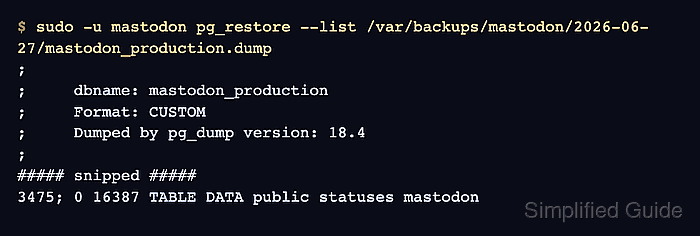
- Check that pg_restore can read the database dump.
$ sudo -u mastodon pg_restore --list \
  /var/backups/mastodon/2026-06-27/mastodon_production.dump
;
; Archive created at 2026-06-27 08:31:50 UTC
;     dbname: mastodon_production
;     Format: CUSTOM
##### snipped #####
3475; 0 16387 TABLE DATA public statuses mastodon
The list output proves the custom-format dump is readable before it leaves the live host.
- Generate checksums for the core backup files.
$ sudo -u mastodon sha256sum \
  /var/backups/mastodon/2026-06-27/env.production \
  /var/backups/mastodon/2026-06-27/mastodon_production.dump \
  /var/backups/mastodon/2026-06-27/redis-dump.rdb
a4f3cc9e43c7ff5e73ec01dbe27a9fc7ddbaff042f95d63b47e45807a2c04e89  /var/backups/mastodon/2026-06-27/env.production
c38fd5f584f6f9d02e179dad42ff58cfb99999371b5ff6ad39fbc1c2c090ecb5  /var/backups/mastodon/2026-06-27/mastodon_production.dump
22ebe168a91f8b5e9cadc90ac93fa6f8f2ab70bb54df20cf9dacdcdf42bdd87b  /var/backups/mastodon/2026-06-27/redis-dump.rdb
- Copy the backup set to the remote backup host.
$ sudo rsync -aH \
  /var/backups/mastodon/2026-06-27/ \
  backup@backup.example.net:/srv/backups/mastodon/social.example.com/2026-06-27/
The remote destination should be outside the Mastodon host and outside the storage failure domain that the backup is meant to survive.
- Verify the backup set on the remote host.
$ ssh backup@backup.example.net "ls /srv/backups/mastodon/social.example.com/2026-06-27"
env.production  mastodon_production.dump  public-system  redis-dump.rdb
- Remove the local staging copy after remote verification.
$ sudo rm -rf /var/backups/mastodon/2026-06-27
Run this only after the remote listing and database dump check are recorded. This deletes the local copy of the backup set.