How to configure Mastodon full-text search
Search on a Mastodon server is limited until the Rails application can use a dedicated search backend. With Elasticsearch connected, logged-in users can find eligible statuses in addition to account and hashtag results, while Mastodon still avoids unrestricted database-wide string search.
Mastodon reads search settings from environment variables, usually /home/mastodon/live/.env.production on a source install. The web process uses those settings when answering search requests, and Sidekiq uses them while tootctl creates, upgrades, and fills the search indices.
Keep Elasticsearch reachable only from Mastodon or protect it with a dedicated user. Mastodon documents Elasticsearch 7 as the tested install path for this feature; newer Elasticsearch releases and OpenSearch may work, but they should be tested with the same index-deploy and search checks before production use.
Related: How to install Mastodon from source
Related: How to monitor Mastodon Sidekiq queues
Related: How to create a Mastodon access token
Steps to configure Mastodon full-text search:
- Confirm Elasticsearch answers from the Mastodon host.
$ curl --silent --show-error http://localhost:9200/_cluster/health?pretty
{
  "cluster_name" : "mastodon-search",
  "status" : "green",
  "number_of_nodes" : 1,
  "active_shards" : 0,
  "unassigned_shards" : 0
}
Do not expose Elasticsearch directly to the public internet. Anyone who can reach an unauthenticated Elasticsearch listener can read and modify indexed Mastodon data.
- Back up the Mastodon environment file.
$ sudo -u mastodon cp /home/mastodon/live/.env.production /home/mastodon/live/.env.production.before-search
- Open the Mastodon environment file.
$ sudo -u mastodon vi /home/mastodon/live/.env.production
- Add the Elasticsearch settings.
ES_ENABLED=true
ES_HOST=localhost
ES_PORT=9200
ES_PRESET=single_node_cluster
ES_PREFIX=mastodon_prod
Use small_cluster or large_cluster for multi-node Elasticsearch clusters. If Elasticsearch uses TLS, include https:// in ES_HOST; if it requires authentication, also set ES_USER and ES_PASS. Use ES_PREFIX when the same Elasticsearch service holds indices for more than one Mastodon server.
- Restart Sidekiq to load the search settings for background indexing jobs.
$ sudo systemctl restart mastodon-sidekiq
- Reload the Mastodon web process to load the search settings for user searches.
$ sudo systemctl reload mastodon-web
For a Docker deployment, recreate or restart the web and Sidekiq containers with the same environment variables.
- Change into the Mastodon application directory.
$ cd /home/mastodon/live
- Create or update the Mastodon search indices.
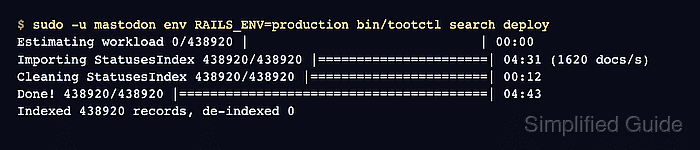
$ sudo -u mastodon env RAILS_ENV=production bin/tootctl search deploy
Estimating workload 0/438920 |                              | 00:00
Importing StatusesIndex 438920/438920 |======================| 04:31 (1620 docs/s)
Cleaning StatusesIndex 438920/438920 |=======================| 00:12
Done! 438920/438920 |========================================| 04:43
Indexed 438920 records, de-indexed 0
tootctl search deploy creates missing indices, upgrades changed index schemas, imports database records, and removes outdated documents. Lower --concurrency or --batch-size if indexing puts too much pressure on PostgreSQL or Elasticsearch.
- Check that the prefixed Elasticsearch indices exist.
$ curl --silent --show-error "http://localhost:9200/_cat/indices/mastodon_prod*?v"
health status index                         uuid                   pri rep docs.count docs.deleted store.size pri.store.size
green  open   mastodon_prod_accounts        cBVMU7v2RIeYBM83c4K0BQ   1   0      18422            0     18.1mb        18.1mb
green  open   mastodon_prod_tags            fpi2Q8oSQ2m6YbFD6ODxPw   1   0       9354            0      4.6mb         4.6mb
green  open   mastodon_prod_statuses        U2FvIgLkTQ-4tyQ6E6DPhQ   1   0     411144            0    219.5mb       219.5mb
green  open   mastodon_prod_public_statuses vLxp5a3aTl-GEHz26Dwp8g   1   0     128044            0     86.2mb        86.2mb
green  open   mastodon_prod_instances       Eh6ziYt9R8aSGyYjBt4nWg   1   0       1843            0      1.2mb         1.2mb
If the index names use a different prefix, check ES_PREFIX and the value of REDIS_NAMESPACE in the Mastodon environment.
- Search for a status visible to the token.
$ curl --silent --show-error \
  --get \
  --header "Authorization: Bearer $MASTODON_ACCESS_TOKEN" \
  --data-urlencode "q=server maintenance" \
  --data-urlencode "type=statuses" \
  --data-urlencode "limit=2" \
  https://social.example.com/api/v2/search
{
  "accounts": [],
  "statuses": [
    {
      "id": "112233445566778899",
      "content": "<p>Scheduled server maintenance starts at 22:00 UTC.</p>"
    }
  ],
  "hashtags": []
}
Use a user token with read:search scope and a query that matches a status the account can search, such as one of its own posts. If accounts and hashtags return but statuses stays empty for a known matching post, review the Elasticsearch connection, Sidekiq logs, and the tootctl search deploy output.
Related: How to create a Mastodon access token
Related: How to monitor Mastodon Sidekiq queues