How to verify account credentials with the Mastodon API
Mastodon automation should confirm which account a bearer token belongs to before it publishes posts, uploads media, or reads private account data. The account credentials endpoint returns the authenticated account profile, so a token check can catch copied credentials, wrong instance URLs, and expired tokens before later API calls depend on them.
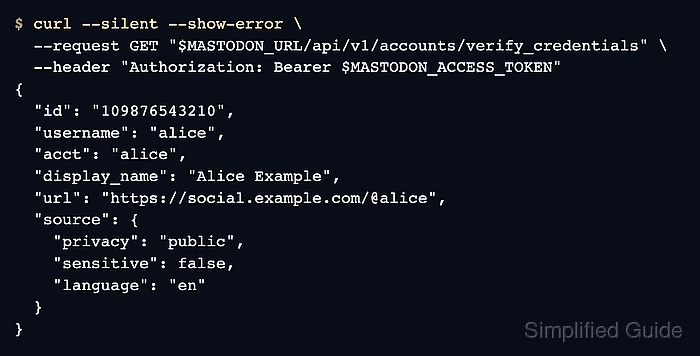
The request uses a user access token in the Authorization header and reads /api/v1/accounts/verify_credentials on the same Mastodon server that issued the token. Current Mastodon servers can use the narrow profile scope for this endpoint, while tokens meant to support older servers may need read:accounts.
A successful response returns a CredentialAccount object with normal account fields plus a source object that is only visible for the authenticated account. The endpoint proves token identity and basic profile-read access; it does not list every scope attached to the token, so keep separate notes for write, media, moderation, or admin permissions.
Steps to verify Mastodon account credentials with the API:
- Set the Mastodon server URL for the account that owns the token.
$ MASTODON_URL=https://social.example.com
- Store the user access token in a temporary shell variable.
$ MASTODON_ACCESS_TOKEN=MASTODON_ACCESS_TOKEN
Use a placeholder in shared commands, tickets, screenshots, and documentation. Paste a live bearer token only in a private shell or load it through the secret-handling path used by the automation.
- Request the authenticated account credentials.
$ curl --silent --show-error \ --request GET "$MASTODON_URL/api/v1/accounts/verify_credentials" \ --header "Authorization: Bearer $MASTODON_ACCESS_TOKEN" { "id": "109876543210", "username": "alice", "acct": "alice", "display_name": "Alice Example", "url": "https://social.example.com/@alice", "source": { "privacy": "public", "sensitive": false, "language": "en" } } - Compare the returned id, username, acct, and url with the account that should own the token.
For a local account, acct is usually the username. The url should point to the same Mastodon server named in MASTODON_URL.
- Check the source object when automation depends on profile defaults.
source.privacy, source.sensitive, and source.language show the default posting values saved on the authenticated account, not on another public profile.
- Confirm the failure signal with a known-bad token before wiring the check into automation.
$ curl --silent --show-error --include \
  --request GET "$MASTODON_URL/api/v1/accounts/verify_credentials" \
  --header "Authorization: Bearer invalid-token-for-validation"
HTTP/2 401
server: Mastodon
www-authenticate: Bearer realm="Doorkeeper", error="invalid_token", error_description="The access token is invalid"
content-type: application/json; charset=utf-8

{"error":"The access token is invalid"}
Treat any non-2xx response as an authentication failure for this check. Do not retry later write or media calls with the same token until the identity request succeeds.
- Remove the temporary token variable after the check.
$ unset MASTODON_ACCESS_TOKEN MASTODON_URL