How to restore an LVM snapshot
Restoring an LVM snapshot rolls an origin logical volume back to the block state captured when the snapshot was created. Use it when a package update, application change, or file operation needs to be undone and the changes made after the snapshot can be discarded.
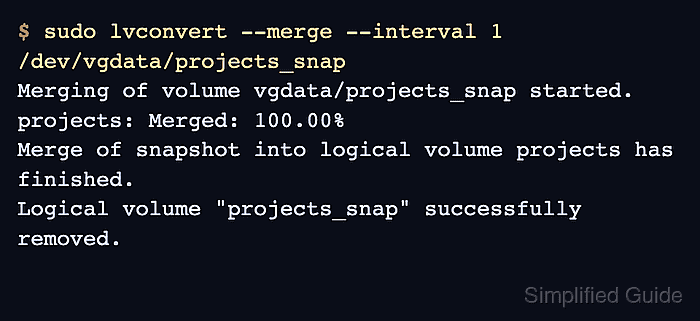
The lvconvert –merge command merges a classic copy-on-write snapshot into its origin. When the merge finishes, the origin keeps its normal name and identity, while the snapshot LV is removed automatically.
The origin and snapshot must be closed before the merge can run immediately. If the origin is a root filesystem or another volume that cannot be closed, LVM defers the merge until the next activation, usually during the next boot.
Related: How to create an LVM snapshot
Related: How to remove an LVM logical volume
Steps to restore an LVM snapshot:
- List the origin and snapshot logical volumes.
$ sudo lvs --options lv_name,origin,vg_name,lv_path,lv_attr /dev/vgdata/projects /dev/vgdata/projects_snap
  LV            Origin   VG     Path                       Attr
  projects               vgdata /dev/vgdata/projects       owi-aos---
  projects_snap projects vgdata /dev/vgdata/projects_snap  swi-a-s---
Replace /dev/vgdata/projects and /dev/vgdata/projects_snap with the origin LV and the snapshot LV that should be restored.
- Check where the origin filesystem is mounted.
$ findmnt --source /dev/vgdata/projects
TARGET        SOURCE               FSTYPE OPTIONS
/srv/projects /dev/vgdata/projects ext4   rw,relatime
- Stop applications that write to the origin volume.
Merging a snapshot discards changes made to the origin after the snapshot was created. Stop databases, virtual machines, services, or shell sessions that can still write to the filesystem.
- Unmount the origin filesystem.
$ sudo umount /srv/projects
- Unmount the snapshot if it is mounted for inspection.
$ sudo umount /mnt/projects-snapshot
- Deactivate the origin logical volume.
$ sudo lvchange --activate n /dev/vgdata/projects
Unmount or stop any remaining consumer if LVM reports that the volume is still open.
Related: How to activate and deactivate an LVM logical volume - Deactivate the snapshot logical volume.
$ sudo lvchange --activate n /dev/vgdata/projects_snap
- Merge the snapshot into the origin.
$ sudo lvconvert --merge --interval 1 /dev/vgdata/projects_snap
  Merging of volume vgdata/projects_snap started.
  projects: Merged: 100.00%
  Merge of snapshot into logical volume projects has finished.
  Logical volume "projects_snap" successfully removed.
If the origin or snapshot is still open, LVM schedules the merge for the next activation instead of starting immediately. For a root filesystem, plan a reboot and verify the merge after the system comes back.
- Activate the restored origin logical volume.
$ sudo lvchange --activate y /dev/vgdata/projects
- Mount the restored filesystem.
$ sudo mount /dev/vgdata/projects /srv/projects
- Verify that the snapshot is gone and the origin is active.
$ sudo lvs --options lv_name,origin,lv_attr vgdata
  LV       Origin Attr
  projects        -wi-ao----
- Check a known restored file or application state.
$ sudo cat /srv/projects/app.conf
release config
Use an application-specific smoke test before sending production traffic or users back to the restored volume.