How to move LVM extents with pvmove
Moving LVM extents with pvmove relocates data from one physical volume to another inside the same volume group. This is commonly done before retiring a disk, replacing storage, or emptying one PV while keeping the logical volumes available.
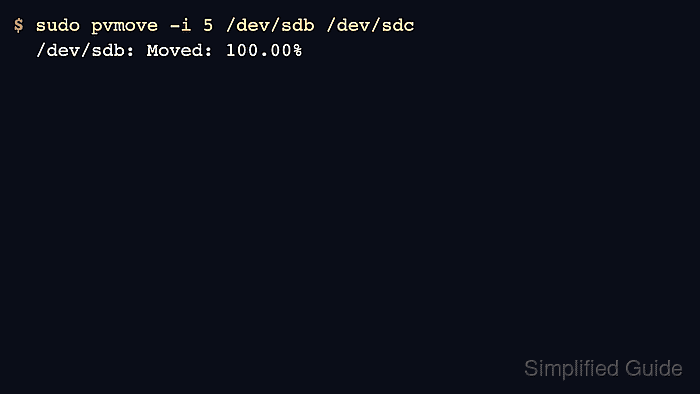
The pvmove command copies allocated extents from the source PV to free extents on another PV and updates the VG metadata when the move completes. Naming both the source and destination devices keeps the relocation targeted instead of letting LVM choose any available space in the volume group.
Before pvmove runs, the destination PV must belong to the same VG and have enough free space for the extents being moved. Keep a recent data backup or storage snapshot before starting, and do not remove the source disk until pvs shows that its Used value is 0.
Related: How to add a disk to an LVM volume group
Related: How to remove an LVM physical volume
Related: How to back up and restore LVM metadata
Steps to move LVM extents with pvmove:
- List the physical volumes in the volume group and identify the source device.
$ sudo pvs --options pv_name,vg_name,pv_size,pv_free,pv_used
  PV         VG     PSize    PFree    Used
  /dev/sdb   vgdata  100.00g   20.00g  80.00g
The source PV is the device with allocated extents to move. In this example, /dev/sdb still stores 80.00g of LV data.
- Check which logical volumes currently have extents on the source device.
$ sudo lvs --options lv_name,vg_name,lv_size,devices vgdata
  LV       VG     LSize   Devices
  projects vgdata  80.00g /dev/sdb(0)
The Devices column shows where each LV has extents. If several LVs use the source PV, pvmove can move them in one pass.
- Add the destination device to the same volume group when it is not already listed there.
$ sudo vgextend vgdata /dev/sdc
  Physical volume "/dev/sdc" successfully created.
  Volume group "vgdata" successfully extended
Skip this step when the destination PV already appears in the same VG.
Related: How to add a disk to an LVM volume group - Confirm that the destination physical volume has enough free space.
$ sudo pvs --options pv_name,vg_name,pv_size,pv_free,pv_used /dev/sdb /dev/sdc
  PV         VG     PSize    PFree    Used
  /dev/sdb   vgdata  100.00g   20.00g  80.00g
  /dev/sdc   vgdata  120.00g  120.00g      0
The destination PFree must be at least as large as the source Used value being moved.
- Save a current metadata backup for the volume group.
$ sudo vgcfgbackup vgdata
  Volume group "vgdata" successfully backed up.
LVM normally keeps automatic metadata backups, but an explicit backup gives the recovery point a clear timestamp before the extent move.
Related: How to back up and restore LVM metadata - Move the allocated extents from the source PV to the destination PV.
$ sudo pvmove -i 5 /dev/sdb /dev/sdc
  /dev/sdb: Moved: 8.33%
  /dev/sdb: Moved: 100.00%
The -i 5 option prints progress every five seconds. If the command is interrupted, run pvmove without device arguments to continue the recorded move; use pvmove --abort only after confirming that aborting is safer than resuming.
- Verify that the source physical volume no longer contains allocated extents.
$ sudo pvs --options pv_name,vg_name,pv_free,pv_used /dev/sdb /dev/sdc
  PV         VG     PFree    Used
  /dev/sdb   vgdata 100.00g      0
  /dev/sdc   vgdata  40.00g  80.00g
A Used value of 0 on the source PV means the volume group no longer stores LV extents there.
- Confirm that the logical volume now maps to the destination device.
$ sudo lvs --options lv_name,vg_name,lv_size,devices vgdata/projects
  LV       VG     LSize   Devices
  projects vgdata  80.00g /dev/sdc(0)
If the source disk is being retired, remove the empty PV from the VG only after these checks pass.
Related: How to remove an LVM physical volume