How to create an LVM mirror volume
An LVM mirror volume keeps duplicate copies of the same logical-volume data on separate physical volumes. Use it when one application block device should keep serving data after one member disk fails, while the storage stack still exposes a single LV path to filesystems or applications.
Modern LVM creates this layout as a RAID1 logical volume. The lvcreate command uses --type raid1 and --mirrors 1 to create two data images, plus small rmeta metadata subvolumes that track synchronization state for each image.
Both member devices must already be physical volumes in the same volume group, and the volume group must have enough free extents for every copy plus metadata. A mirrored LV protects against one member failure, but it does not replace backups, snapshots, or application-level recovery for deleted or corrupted data.
Related: How to create an LVM logical volume
Related: How to remove an LVM logical volume
Steps to create an LVM mirrored logical volume:
- Check the physical volumes that will hold the mirror images.
$ sudo pvs --options pv_name,vg_name,pv_size,pv_free /dev/sdb /dev/sdc
  PV         VG       PSize    PFree
  /dev/sdb   vgmirror 100.00g 100.00g
  /dev/sdc   vgmirror 100.00g 100.00g
Replace /dev/sdb and /dev/sdc with the real member devices. Both rows must show the same VG before they can back one mirrored LV.
Related: How to add a disk to an LVM volume group - Check free space in the volume group.
$ sudo vgs vgmirror
  VG       #PV #LV #SN Attr   VSize   VFree
  vgmirror   2   0   0 wz--n- 200.00g 200.00g
A 20G two-way mirror needs roughly 40G of free extents plus small RAID metadata areas. Leave additional VFree for future growth, snapshots, or other logical volumes.
- Create the mirrored logical volume.
$ sudo lvcreate --type raid1 --mirrors 1 --size 20G --name mirror_data vgmirror /dev/sdb /dev/sdc
  Logical volume "mirror_data" created.
--mirrors 1 creates one extra image, so the resulting RAID1 LV stores two copies. Select devices on separate disks or storage paths; mirroring two PVs on the same underlying storage path does not protect the data.
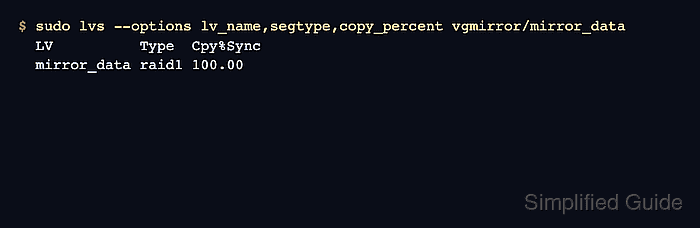
- Verify the RAID1 segment type and synchronization state.
$ sudo lvs --options lv_name,segtype,copy_percent vgmirror/mirror_data
  LV          Type  Cpy%Sync
  mirror_data raid1 100.00
The Type value should be raid1. Large volumes can show a lower Cpy%Sync value while initial synchronization is still running.
- Inspect the mirror images and metadata placement.
$ sudo lvs --all --options lv_name,segtype,lv_size,copy_percent,devices vgmirror
  LV                       Type   LSize  Cpy%Sync Devices
  mirror_data              raid1  20.00g 100.00   mirror_data_rimage_0(0),mirror_data_rimage_1(0)
  [mirror_data_rimage_0]   linear 20.00g          /dev/sdb(1)
  [mirror_data_rimage_1]   linear 20.00g          /dev/sdc(1)
  [mirror_data_rmeta_0]    linear  4.00m          /dev/sdb(0)
  [mirror_data_rmeta_1]    linear  4.00m          /dev/sdc(0)
The rimage rows are the mirrored data copies. The rmeta rows are the matching LVM metadata areas used to track the RAID1 state.
- Confirm the active block device path.
$ lsblk /dev/vgmirror/mirror_data
NAME                    MAJ:MIN RM SIZE RO TYPE MOUNTPOINTS
vgmirror-mirror_data    253:6    0  20G  0 lvm
The mirrored LV is still raw block storage until it is formatted, mounted, encrypted, or assigned to an application.