How to set llama.cpp server LoRA adapter scales
LoRA adapters let a llama.cpp server apply fine-tuned weights on top of a loaded GGUF base model without merging a separate model file. Adjusting adapter scale is useful when a running llama-server instance already has adapters loaded and the global adapter influence needs to change before clients send inference requests.
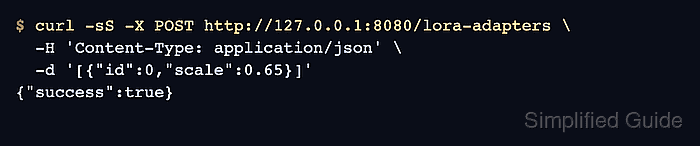
llama-server exposes /lora-adapters for adapters supplied at startup with --lora or --lora-scaled. A GET request lists adapter IDs, paths, and current scales, while a POST request sets the global scale for those IDs.
The global scale is the server default for later requests, not an immutable rule. A /completion request can include its own lora array with per-request id and scale values, and those values override the global setting for that request. Requests using different LoRA configurations are not batched together, so change scales deliberately on busy servers.
Related: How to start the llama.cpp server
Related: How to check llama.cpp server health
Steps to set llama.cpp server LoRA adapter scales:
- Start or restart llama-server with the base model and adapter file loaded.
$ llama-server \
  --host 127.0.0.1 \
  --port 8080 \
  -m models/base-model.gguf \
  --lora-scaled adapters/support-style.gguf:0.0
The --lora-scaled form loads the adapter with an explicit startup scale. Use --lora when the adapter should start at the default scale of 1, or add more --lora-scaled entries for additional adapters.
- Check that the server is ready.
$ curl -sS http://127.0.0.1:8080/health
{"status":"ok"}
Related: How to check llama.cpp server health
- List the loaded LoRA adapters.
$ curl -sS http://127.0.0.1:8080/lora-adapters
[{"id":0,"path":"adapters/support-style.gguf","scale":0.0,"task_name":"","prompt_prefix":""}]
Keep the id value from this response. The POST body uses adapter IDs, not filenames, when setting scales.
- Set the global adapter scale.
$ curl -sS -X POST http://127.0.0.1:8080/lora-adapters \
  -H 'Content-Type: application/json' \
  -d '[{"id":0,"scale":0.65}]'
{"success":true}
Use a scale of 0 to disable an adapter. When several adapters are loaded, omitting an adapter from the posted list also disables it according to the current server API.
- Verify the adapter scale after the update.
$ curl -sS http://127.0.0.1:8080/lora-adapters
[{"id":0,"path":"adapters/support-style.gguf","scale":0.6499999761581421,"task_name":"","prompt_prefix":""}]
A displayed value such as 0.6499999761581421 is the server's floating-point representation of the requested 0.65 scale.