How to call the llama.cpp Responses API
The Responses API gives OpenAI-style clients a request envelope for instructions, input, generated output, and response metadata. A running llama.cpp server can expose that shape on /v1/responses, which helps applications test a local GGUF model before pointing the same client code at another OpenAI-compatible backend.
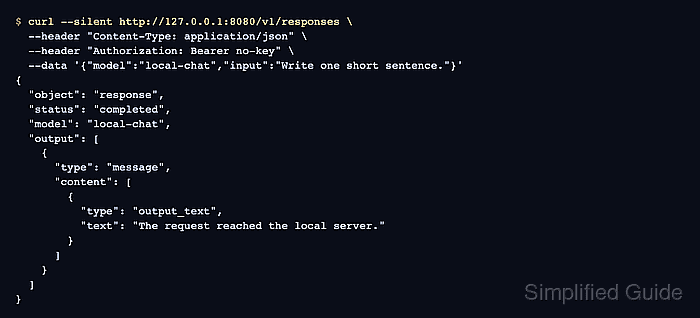
In llama.cpp, the Responses route accepts the OpenAI-compatible body and converts it into a chat completions request internally. The model field should match the alias or model ID reported by llama-server, because that value controls which loaded runtime handles the request.
Use a chat-capable model for this endpoint and keep the listener local unless another protected host must reach it. A successful call returns a JSON object with status set to completed, model set to the local alias, an output message containing output_text content, and token usage fields for the request.
Steps to call the llama.cpp Responses API:
- Start llama-server with a chat-capable GGUF model and an API alias.
$ llama-server -m ./models/chat-model.gguf \
  --alias local-chat \
  --host 127.0.0.1 \
  --port 8080
##### snipped #####
srv  llama_server: model loaded
srv  llama_server: listening on http://127.0.0.1:8080
The alias becomes the model name sent by the Responses request. Replace ./models/chat-model.gguf with the real model path.
Related: How to start the llama.cpp server - Check that the server is ready.
$ curl --silent http://127.0.0.1:8080/health
{"status":"ok"}
A 503 response means the model is still loading or unavailable. Wait for ok before sending inference requests.
Related: How to check llama.cpp server health - Confirm the model ID exposed to OpenAI-compatible clients.
$ curl --silent http://127.0.0.1:8080/v1/models
{
  "models": [
    {
      "name": "local-chat",
      "model": "local-chat",
      "capabilities": ["completion"]
    }
  ],
  "object": "list",
  "data": [
    {
      "id": "local-chat",
      "object": "model",
      "owned_by": "llamacpp",
      "meta": {
        "n_ctx": 1024
      }
    }
  ]
}
Use the returned id from the data array in the Responses request. If --alias was not set, the server may expose the model path or loaded model name instead.
- Send a minimal request to /v1/responses.
$ curl --silent http://127.0.0.1:8080/v1/responses \
  --header "Content-Type: application/json" \
  --header "Authorization: Bearer no-key" \
  --data '{
    "model": "local-chat",
    "instructions": "Answer in one short sentence.",
    "input": "Write one short sentence about this local request.",
    "max_output_tokens": 32
  }'
{
  "id": "resp_02HaEHnK1eeXCRtHRjtpP6hfiQKMnTFF",
  "object": "response",
  "status": "completed",
  "model": "local-chat",
  "output": [
    {
      "type": "message",
      "role": "assistant",
      "status": "completed",
      "content": [
        {
          "type": "output_text",
          "text": "The request reached the local server."
        }
      ]
    }
  ],
  "usage": {
    "input_tokens": 27,
    "output_tokens": 8,
    "total_tokens": 35
  }
}
llama-server does not require an authorization header unless it was started with --api-key or --api-key-file. Keep the header when an OpenAI-compatible client expects one, and replace no-key with the configured token when server-side API-key checking is enabled.