How to convert a Hugging Face model to GGUF for llama.cpp
Hugging Face model directories store weights, tokenizer files, and configuration in a layout used by training and Python inference libraries. llama.cpp runs local models from GGUF files, so converting a supported directory creates the portable model artifact that llama-cli, llama-server, and later quantization tools can read.
The upstream convert_hf_to_gguf.py script lives in the llama.cpp source tree and uses the conversion library from that checkout. A current checkout matters because model architecture mappings, tokenizer handling, and output types change as new model families are added.
Use HuggingFaceTB/SmolLM2-135M as a small public source model when testing the conversion path, and write an F16 GGUF file before any lower-bit quantization. Python 3.12 is a safer starting point for the current converter requirements when newer distro-default Python releases outrun pinned dependency wheels.
Steps to convert a Hugging Face model to GGUF for llama.cpp:
- Clone the current llama.cpp source tree.
$ git clone --depth 1 https://github.com/ggml-org/llama.cpp
Cloning into 'llama.cpp'...
The converter is source-tree Python code, not one of the installed llama-cli or llama-server binaries.
- Enter the source directory.
$ cd llama.cpp
- Create a Python virtual environment for the converter.
$ python3 -m venv .venv
If the dependency install tries to build old NumPy from source or fails on a newer Python release, recreate the environment with Python 3.12 or another Python release supported by the current llama.cpp requirements.
- Activate the virtual environment.
$ . .venv/bin/activate
- Install the converter requirements and Hugging Face downloader.
$ pip install -r requirements/requirements-convert_hf_to_gguf.txt huggingface_hub
The requirements file installs torch, transformers, sentencepiece, safetensors, and the gguf Python package needed by the converter.
- Download a supported Hugging Face model directory.
$ hf download HuggingFaceTB/SmolLM2-135M --local-dir models/smollm2-135m
Downloading 'model.safetensors'
##### snipped #####
Download complete. Moving file to models/smollm2-135m/model.safetensors
/home/admin/llama.cpp/models/smollm2-135m
Replace the sample model ID with the source model that needs conversion. The local directory should contain the model config.json, tokenizer files, and safetensors or PyTorch weight files.
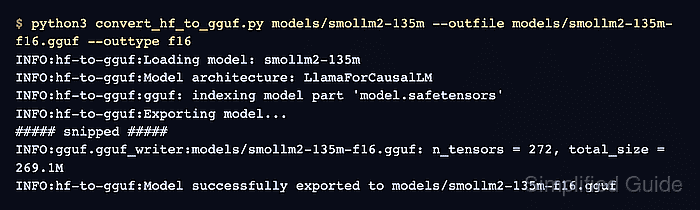
- Convert the model directory to an F16 GGUF file.
$ python3 convert_hf_to_gguf.py models/smollm2-135m --outfile models/smollm2-135m-f16.gguf --outtype f16
INFO:hf-to-gguf:Loading model: smollm2-135m
INFO:hf-to-gguf:Model architecture: LlamaForCausalLM
INFO:hf-to-gguf:gguf: indexing model part 'model.safetensors'
INFO:hf-to-gguf:Exporting model...
##### snipped #####
INFO:gguf.gguf_writer:models/smollm2-135m-f16.gguf: n_tensors = 272, total_size = 269.1M
INFO:hf-to-gguf:Model successfully exported to models/smollm2-135m-f16.gguf
--outtype f16 keeps this step as a high-precision conversion pass. Quantize the generated GGUF separately when the target runtime needs a smaller file.
Related: How to quantize a GGUF model with llama.cpp - Inspect the generated GGUF metadata.
$ python3 gguf-py/gguf/scripts/gguf_dump.py models/smollm2-135m-f16.gguf
* File is LITTLE endian, script is running on a LITTLE endian host.
* Dumping 34 key/value pair(s)
      4: STRING     |        1 | general.architecture = 'llama'
      6: STRING     |        1 | general.name = 'Smollm2 135m'
     12: UINT32     |        1 | llama.context_length = 8192
     21: UINT32     |        1 | general.file_type = 1
##### snipped #####
* Dumping 272 tensor(s)
gguf_dump.py prints the metadata and tensor table from the generated file, which confirms the converter wrote a readable GGUF artifact.
- Confirm the output file exists at the expected path.
$ ls -lh models/smollm2-135m-f16.gguf
-rw-r--r-- 1 admin admin 259M Jul  2 22:53 models/smollm2-135m-f16.gguf
The converted .gguf file can now be passed to llama-cli or llama-server with -m for a load or generation smoke test.
Related: How to run a local GGUF model with llama-cli