How to set default file permissions with umask in Linux
Unexpected file modes can expose new files to other users or stop a shared group from editing new project content. In Linux, the umask value removes permission bits from newly created files and directories before they appear on disk.
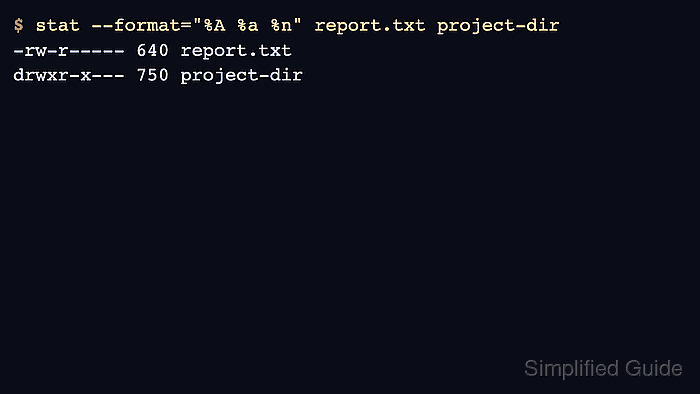
The mask belongs to a process. Shells set it, and commands started from that shell inherit it. A mask of 027 commonly creates files as 640 and directories as 750, while 022 creates readable-by-everyone defaults and 002 keeps group write access for collaborative directories.
The change affects only objects created after the mask is set. Existing modes need chmod, systemd services can use a unit-level UMask= setting, and a directory default ACL can change creation modes inside that directory.
Steps to set default file permissions with umask in Linux:
- Check the current shell mask.
$ umask
0022
- Select the target mask for new files and directories.
Use 027 for owner read/write, group read-only, and no other access in the common file case. Use 077 for private files, 022 for owner-write and world-readable defaults, or 002 when a shared group should keep write access.
- Set the mask for the current shell.
$ umask 027
This change applies to commands started from this shell. It does not rewrite existing file modes.
- Confirm the shell reports the new mask.
$ umask
0027
With Bash, umask -S can show the same mask symbolically, such as u=rwx,g=rx,o=.
- Create a test file.
$ touch report.txt
- Create a test directory.
$ mkdir project-dir
- Verify the modes created under the new mask.
$ stat --format="%A %a %n" report.txt project-dir
-rw-r----- 640 report.txt
drwxr-x--- 750 project-dir
Regular files normally start from a maximum of 666 before the mask is applied, so umask cannot add execute permission to a new file created by touch.
- Remove the test objects.
$ rm -r report.txt project-dir
- Open the login profile that should set the mask for future shell sessions.
$ vi ~/.profile
Use the startup file that your login path actually reads, such as ~/.profile for POSIX-style login shells or ~/.bashrc for interactive Bash shells on systems that source it.
- Add the umask line near the end of the profile.
umask 027
- Start a new Bash login shell to test the saved profile.
$ bash --login
- Confirm the saved mask in the new shell.
$ umask
0027
Do not set a broad mask such as 000 on multi-user systems unless the account is intentionally creating world-writable content. Services launched outside the login shell may need their own service manager setting.