How to list open ports on Linux
Unexpected listening sockets can expose a Linux host even when the service name is not obvious from firewall rules or process notes. Listing open ports from the kernel socket table shows which local addresses accept inbound TCP sessions or UDP datagrams before deciding whether a service should stay reachable.
The ss utility from iproute2 reads socket state from the running kernel and replaces older netstat-style checks on current systems. It can separate listening sockets from active sessions, keep addresses numeric, and add the owning command when permissions allow process details.
Open port output is local to the network namespace where the command runs. Loopback-only listeners differ from all-interface listeners, and that distinction affects whether a service can accept traffic beyond the host. Firewall rules, container port publishing, and upstream security groups still decide whether remote clients can reach it.
Steps to list open Linux ports with ss:
- List listening TCP and UDP sockets with numeric addresses.
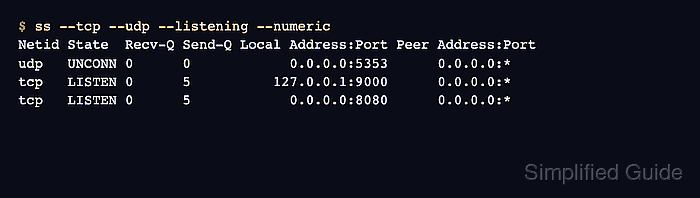
$ ss --tcp --udp --listening --numeric
Netid State  Recv-Q Send-Q Local Address:Port Peer Address:Port
udp   UNCONN 0      0            0.0.0.0:5353      0.0.0.0:*
tcp   LISTEN 0      5          127.0.0.1:9000      0.0.0.0:*
tcp   LISTEN 0      5            0.0.0.0:8080      0.0.0.0:*
Local Address:Port identifies where the service is bound. 127.0.0.1 accepts local-only connections, while 0.0.0.0 listens on all IPv4 addresses in the current network namespace.
- Add process names and PIDs to the listening socket list.
$ sudo ss --tcp --udp --listening --processes --numeric
Netid State  Recv-Q Send-Q Local Address:Port Peer Address:PortProcess
udp   UNCONN 0      0            0.0.0.0:5353      0.0.0.0:*    users:(("nc",pid=488,fd=3))
tcp   LISTEN 0      5          127.0.0.1:9000      0.0.0.0:*    users:(("python3",pid=487,fd=3))
tcp   LISTEN 0      5            0.0.0.0:8080      0.0.0.0:*    users:(("python3",pid=486,fd=3))
--processes can reveal command names, PIDs, and service paths. Sanitize this output before sharing it outside the operations team.
- Filter the list to one local port.
$ sudo ss --tcp --listening --processes --numeric 'sport = :8080'
State  Recv-Q Send-Q Local Address:Port Peer Address:PortProcess
LISTEN 0      5            0.0.0.0:8080      0.0.0.0:*    users:(("python3",pid=486,fd=3))
Use sport = :PORT for a local listening port. Use dport = :PORT when inspecting a peer destination port in active connection checks.
Related: How to check active network connections in Linux - Compare the listening address with the intended exposure.
Keep local-only services on 127.0.0.1. Investigate listeners on 0.0.0.0, [::], or a public interface address when the service should not accept network traffic.
- Check external reachability when another host should connect to the port.
Listing a local socket does not prove that packets pass through host firewalls, container port publishing, security groups, or upstream network ACLs.
Related: How to check if a Linux service is listening on a port
Related: How to check firewall status in Linux