How to check OOM killer events in Linux
Unexpected process exits, service restarts, and container exits with status 137 can come from the Linux kernel OOM killer rather than an application crash. Reading the kernel log separates a memory kill from a normal service failure and gives the timestamp, selected process, and memory context needed for the incident note.
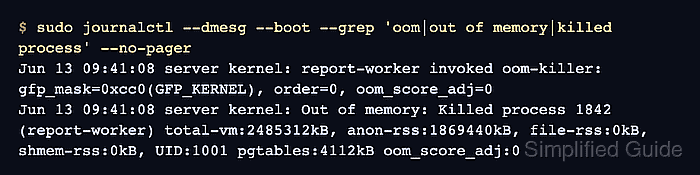
On systemd hosts, journalctl stores kernel messages with the kernel transport, and journalctl --dmesg limits the search to those entries for a boot. The --grep pattern searches for the common phrases that appear around the selected victim, including oom-killer and Killed process.
Do not force a production host into memory exhaustion just to test the query. A missing match means the accessible logs do not show an OOM kill for the selected boot or time window; it does not prove memory pressure never happened if the journal was rotated, the kernel ring buffer was overwritten, or a container runtime reported only its own cgroup event.
Steps to check OOM killer events in Linux:
- Search current-boot kernel messages for OOM killer entries.
$ sudo journalctl --dmesg --boot --grep 'oom|out of memory|killed process' --no-pager
Jun 13 09:41:08 server kernel: report-worker invoked oom-killer: gfp_mask=0xcc0(GFP_KERNEL), order=0, oom_score_adj=0
Jun 13 09:41:08 server kernel: Out of memory: Killed process 1842 (report-worker) total-vm:2485312kB, anon-rss:1869440kB, file-rss:0kB, shmem-rss:0kB, UID:1001 pgtables:4112kB oom_score_adj:0
The Killed process line names the selected victim. The surrounding lines show the allocation path, memory counters, and oom_score_adj value that influenced selection.
Related: How to view system logs with journalctl - Check the previous boot when the process disappeared before the last restart.
$ sudo journalctl --dmesg --boot -1 --grep 'oom|out of memory|killed process' --no-pager
Jun 12 22:18:44 server kernel: backup-job invoked oom-killer: gfp_mask=0xcc0(GFP_KERNEL), order=0, oom_score_adj=0
Jun 12 22:18:44 server kernel: Out of memory: Killed process 3097 (backup-job) total-vm:3917824kB, anon-rss:2713600kB, file-rss:128kB, shmem-rss:0kB, UID:1002 pgtables:6592kB oom_score_adj:0
Use journalctl --list-boots first if the host has many retained boots and the incident happened further back.
- Narrow the search to the incident window when the journal is large.
$ sudo journalctl --dmesg --since "2026-06-13 09:30" --until "2026-06-13 09:50" --grep 'oom|out of memory|killed process' --no-pager
Jun 13 09:41:08 server kernel: oom-kill:constraint=CONSTRAINT_NONE,nodemask=(null),cpuset=/,mems_allowed=0,global_oom,task=report-worker,pid=1842,uid=1001
Jun 13 09:41:08 server kernel: Out of memory: Killed process 1842 (report-worker) total-vm:2485312kB, anon-rss:1869440kB, file-rss:0kB, shmem-rss:0kB, UID:1001 pgtables:4112kB oom_score_adj:0
Replace the sample time window with the service restart, alert, or container exit time being investigated.
- Check the current kernel ring buffer when the system has no accessible journal.
$ sudo dmesg --kernel --level=err,warn --time-format=iso
2026-06-13T09:41:08,126804+00:00 report-worker invoked oom-killer: gfp_mask=0xcc0(GFP_KERNEL), order=0, oom_score_adj=0
2026-06-13T09:41:08,127116+00:00 Out of memory: Killed process 1842 (report-worker) total-vm:2485312kB, anon-rss:1869440kB, file-rss:0kB, shmem-rss:0kB, UID:1001 pgtables:4112kB oom_score_adj:0
dmesg reads the current kernel ring buffer only, and some systems restrict it with kernel.dmesg_restrict. Prefer journalctl when retained journal data is available.
- Compare the OOM timestamp with the affected systemd service when the victim was service-managed.
$ systemctl status --no-pager report-worker.service
× report-worker.service - Report Worker
     Loaded: loaded (/etc/systemd/system/report-worker.service; enabled; preset: enabled)
     Active: failed (Result: signal) since Sat 2026-06-13 09:41:08 UTC; 2min 12s ago
   Main PID: 1842 (code=killed, signal=KILL)
signal=KILL or container exit status 137 alone does not prove an OOM kill. Treat the matching kernel Out of memory or oom-kill line as the proof.
Related: How to check Linux service status