How to restore the Master Boot Record (MBR) in Linux
A damaged Master Boot Record (MBR) can leave a BIOS-booted Linux system at Operating system not found, a blinking cursor, or a rescue prompt before the kernel ever starts. Restoring the boot-code area from a known-good backup can make the installed system bootable again without rewriting the partition table.

The MBR is the first 512-byte sector on an MBR partitioned disk. Its first 446 bytes hold boot code, the next 64 bytes hold the primary partition table, and the final 2 bytes hold the boot signature. A conservative restore path uses dd to restore only the 446-byte boot-code area from a 512-byte backup, then uses cmp to confirm the boot-code bytes changed and the partition-table bytes stayed in place.
The recovery path applies only to a BIOS-style disk that still has a readable MBR partition table and a backup from the same machine or disk layout. If the disk uses GPT with UEFI firmware, recover GRUB or the EFI system partition instead; if the partition table itself is damaged, recover that table before writing boot code.
Steps to restore MBR boot code from a backup in Linux:
- Boot from a Linux live USB or rescue environment.
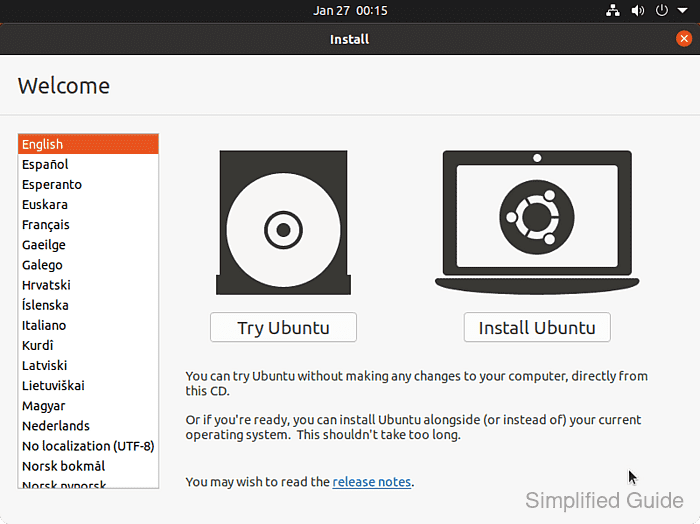
- Open a terminal in the live session.
- Confirm that the saved MBR backup file is available and exactly 512 bytes.
$ stat --format="%n %s bytes" /media/usb/mbr.img
/media/usb/mbr.img 512 bytes
Replace /media/usb/mbr.img with the path to the backup that belongs to the target disk.
- Identify the installed system disk.
$ lsblk --output NAME,SIZE,TYPE,FSTYPE,MOUNTPOINTS
NAME     SIZE TYPE FSTYPE  MOUNTPOINTS
sda    476.9G disk
|-sda1   512M part vfat
`-sda2 476.4G part ext4
sdb     14.6G disk iso9660 /cdrom
Target the whole disk such as /dev/sda or /dev/nvme0n1, not a partition such as /dev/sda1. Do not target the live USB device.
- Save the current first sector before changing it.
$ sudo dd if=/dev/sda of=/media/usb/mbr-before-restore.img bs=512 count=1
1+0 records in
1+0 records out
512 bytes copied, 0.000058166 s, 512 kB/s
Keep this file until the system has booted successfully; it preserves the pre-restore sector for rollback or later comparison.
- Restore the MBR boot-code bytes from the backup.
$ sudo dd if=/media/usb/mbr.img of=/dev/sda bs=446 count=1 conv=notrunc
1+0 records in
1+0 records out
446 bytes copied, 0.000052041 s, 446 kB/s
bs=446 count=1 writes only the boot-code area. Using bs=512 would also overwrite the partition table and signature, which is only appropriate when restoring a confirmed full-sector backup to the same disk layout.
- Read the restored first sector into a temporary verification file.
$ sudo dd if=/dev/sda of=/tmp/mbr-after-restore.img bs=512 count=1
1+0 records in
1+0 records out
512 bytes copied, 0.000058166 s, 512 kB/s
- Compare the restored boot-code bytes with the backup.
$ sudo cmp --bytes=446 /media/usb/mbr.img /tmp/mbr-after-restore.img
No output means the first 446 bytes on the disk match the backup file.
- Confirm that the partition table and boot signature were not changed.
$ sudo cmp --ignore-initial=446:446 --bytes=66 /media/usb/mbr-before-restore.img /tmp/mbr-after-restore.img
No output means bytes 446 through 511 still match the pre-restore sector image.
- Remove the temporary verification file.
$ sudo rm /tmp/mbr-after-restore.img
- Flush pending disk writes.
$ sudo sync
- Reboot from the restored system disk without the live media.