How to find files and folders in Linux
File searches in Linux need a clear starting point because the same name can appear in home directories, application releases, backups, and mounted volumes. Narrowing the path and file type before acting helps avoid opening, moving, or deleting the wrong match.
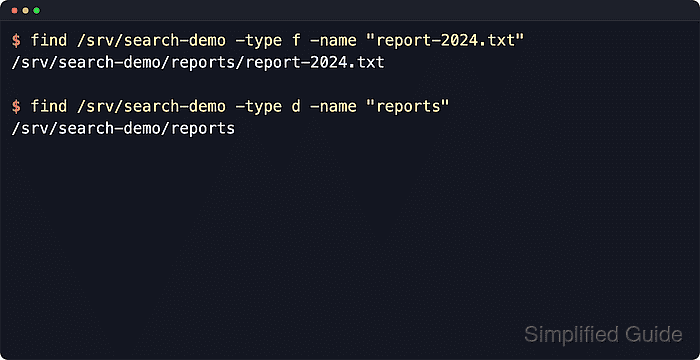
The find command walks the filesystem that exists right now, starting at the path given on the command line and testing each entry against expressions such as name, type, depth, modification time, and size. Quoting wildcard patterns keeps the shell from expanding them before find receives the pattern.
The locate command is faster for broad name lookups because it reads a path database instead of walking every directory during the search. That database may lag behind recent file changes, and system-wide searches can expose permission boundaries, mounted filesystems, or restricted paths unless the command scope is chosen deliberately. A system without locate can still complete the search with find.
Steps to find files and folders in Linux:
- Search for an exact file name from the narrowest parent directory.
$ find /srv/search-demo -type f -name "report-2024.txt"
/srv/search-demo/reports/report-2024.txt
-type f limits matches to regular files so directories with the same name are excluded.
- Search for an exact folder name by switching the type test to directories.
$ find /srv/search-demo -type d -name "reports"
/srv/search-demo/reports
-type d returns directories only, which is useful when the target is a project tree, upload directory, or application data path.
- Match a filename pattern within a shallow tree.
$ find /srv/search-demo -maxdepth 2 -type f -name "*.txt"
/srv/search-demo/reports/report-2024.txt
/srv/search-demo/reports/report-2023.txt
/srv/search-demo/.hidden.txt
Quote patterns such as "*.txt" so the shell passes the wildcard to find instead of expanding it in the current directory.
- Ignore case when the remembered name may not match the stored capitalization.
$ find /srv/search-demo -type f -iname "settings.conf"
/srv/search-demo/Archive/Settings.conf
The -iname test is useful on mixed-case directory trees where the file name is remembered but not its exact spelling.
- Find recently modified files in the target directory.
$ find /srv/search-demo/reports -type f -mtime -2
/srv/search-demo/reports/report-2024.txt
-mtime -2 matches files modified within the last two 24-hour periods. Use +N for files older than N days.
- Find files larger than a chosen size.
$ find /srv/search-demo -type f -size +1M
/srv/search-demo/backups/archive-2024.bin
Size tests accept units such as k, M, and G. Prefix the value with + for larger than or - for smaller than the threshold.
Related: How to check file and folder sizes in Linux - Search the local root filesystem when the parent path is unknown.
$ sudo find / -xdev -type f -name "shadow"
/etc/shadow
-xdev keeps the search on the starting filesystem and avoids descending into mounted backup, container, or network filesystems. Use a narrower starting path whenever the likely parent directory is known.
- Refresh the indexed path database before relying on locate for recent changes.
$ sudo updatedb
updatedb may be provided by plocate, mlocate, or another distribution package. No output means the database refresh finished without warnings.
- Use locate for a database-backed name lookup.
$ locate report-2024.txt
/srv/search-demo/reports/report-2024.txt
locate reads the last built database, so it can miss files created after the last updatedb run or paths hidden by database visibility settings.
- Confirm the returned path before editing or deleting it.
$ ls -ld /srv/search-demo/reports/report-2024.txt
-rw-r--r-- 1 root root 5 Jun 13 11:39 /srv/search-demo/reports/report-2024.txt
Listing the match confirms the file type, permissions, owner, size, timestamp, and path that a follow-up command would act on.