How to set file ACL permissions in Linux
File ACLs in Linux handle access exceptions that do not fit the owner, group, and other mode bits. Granting one named user or group access with an ACL keeps a shared report or service handoff available to that identity while leaving the file owner, owning group, and broad chmod mode unchanged.
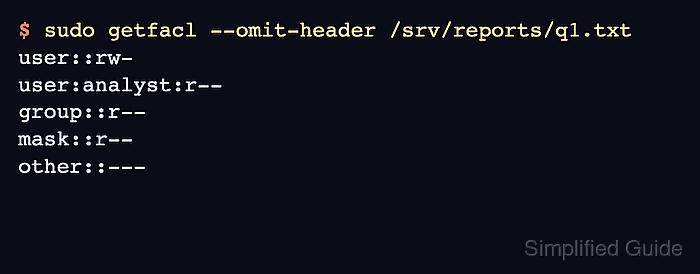
On filesystems with ACL support, setfacl modifies named user or group entries and getfacl shows the base entries, named entries, default entries, and mask. The mask entry is important because it limits the effective permissions for named users and groups even when their own ACL entry lists broader access.
A file ACL cannot bypass directory traversal rules. If the target file sits inside a restricted directory, the target account needs execute (search) permission on each parent directory before the file ACL can be used. Use the smallest permissions that match the access request, and remove temporary ACL entries when the exception ends.
Steps to set file ACL permissions in Linux:
- Check the current ACL on the parent directory and target file.
$ sudo getfacl -p /srv/reports /srv/reports/q1.txt
# file: /srv/reports
# owner: root
# group: root
user::rwx
group::r-x
other::---

# file: /srv/reports/q1.txt
# owner: root
# group: root
user::rw-
group::r--
other::---
If setfacl or getfacl is not installed, install the distribution's acl package first.
- Grant the target user search permission on the parent directory.
$ sudo setfacl --modify user:analyst:--x /srv/reports
Directory x permission lets the account traverse the path when it already knows the file name. Use r-x instead if the account must list directory contents.
- Grant the target user read permission on the file.
$ sudo setfacl --modify user:analyst:r-- /srv/reports/q1.txt
Use group:teamname:r– in place of user:analyst:r– when the ACL should target a group. The permission field uses r, w, and x like mode bits.
- Verify the new ACL on both paths.
$ sudo getfacl -p /srv/reports /srv/reports/q1.txt
# file: /srv/reports
# owner: root
# group: root
user::rwx
user:analyst:--x
group::r-x
mask::r-x
other::---

# file: /srv/reports/q1.txt
# owner: root
# group: root
user::rw-
user:analyst:r--
group::r--
mask::r--
other::---
If getfacl prints #effective: beside a named entry, the mask:: entry is reducing that entry's active permissions.
- Show only the file ACL entries when the header is not needed.
$ sudo getfacl --omit-header /srv/reports/q1.txt
user::rw-
user:analyst:r--
group::r--
mask::r--
other::---
- Test file access as the target user.
$ sudo -u analyst cat /srv/reports/q1.txt
quarterly results
- Remove the file ACL entry when the access exception ends.
$ sudo setfacl --remove user:analyst /srv/reports/q1.txt
- Remove the parent directory ACL entry if it was added only for this file.
$ sudo setfacl --remove user:analyst /srv/reports
- Confirm the named-user entries are gone from both paths.
$ sudo getfacl -p /srv/reports /srv/reports/q1.txt
# file: /srv/reports
# owner: root
# group: root
user::rwx
group::r-x
mask::r-x
other::---

# file: /srv/reports/q1.txt
# owner: root
# group: root
user::rw-
group::r--
mask::r--
other::---
A remaining mask:: line does not grant the removed user access. Use --remove-all only when all extended ACL entries on the path should be cleared.