How to extract .tar.gz files in Linux
A downloaded source release, backup, or log bundle often arrives as a .tar.gz archive. Extracting it without checking the stored paths can scatter files into the current directory or overwrite names that are already there, so inspect the archive before writing anything to disk.
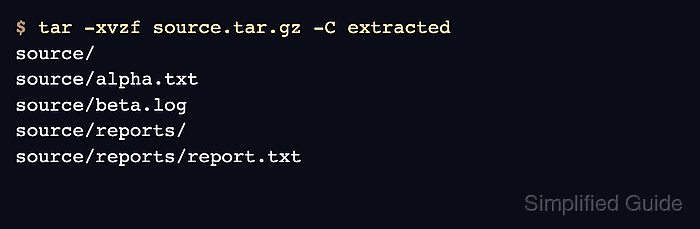
A .tar.gz file is a tar archive compressed with gzip. GNU tar can read compressed archive files directly, and the -z option keeps the gzip layer explicit when listing or extracting. The -C option changes to the destination directory before files are restored.
Archive members may include a top-level directory, nested paths, or a single file at the archive root. Use a dedicated destination directory unless the archive layout is already known, and use elevated privileges only when the destination path requires them. Archives ending in .tgz use the same commands as .tar.gz files.
Related: How to extract .tar.bz2 files in Linux
Related: How to extract xz files in Linux
Steps to extract .tar.gz files in Linux:
- List the archive members before extracting.
$ tar -tzf source.tar.gz
source/
source/alpha.txt
source/beta.log
source/reports/
source/reports/report.txt
The listed member names are the exact paths needed when extracting only one file or subdirectory later.
- Create a destination directory for the extracted tree.
$ mkdir -p extracted
- Extract the archive into the destination directory.
$ tar -xvzf source.tar.gz -C extracted
source/
source/alpha.txt
source/beta.log
source/reports/
source/reports/report.txt
-C extracted writes the archive members under extracted instead of the current directory. GNU tar can also read this regular archive with tar -xvf source.tar.gz -C extracted because it detects the compression format automatically, but -z keeps the gzip layer visible.
- Verify the restored directory tree.
$ find extracted -maxdepth 3 -print
extracted
extracted/source
extracted/source/reports
extracted/source/reports/report.txt
extracted/source/beta.log
extracted/source/alpha.txt
Many archives already contain a top-level directory such as source. Extracting into a dedicated destination directory avoids mixing restored paths with unrelated files.
- Create a destination directory for a single-member extraction.
$ mkdir -p single
- Extract the exact member path when the full tree is not needed.
$ tar -xvzf source.tar.gz -C single source/reports/report.txt
source/reports/report.txt
Replace source/reports/report.txt with the exact member name shown by the earlier tar -tzf listing.
- Check that only the selected member path was restored.
$ find single -maxdepth 4 -print
single
single/source
single/source/reports
single/source/reports/report.txt