How to show disk information in Linux
Disk names in Linux can look similar while pointing at different storage layers. A quick disk inventory before mounting, resizing, replacing, or troubleshooting storage shows which whole disk owns each partition, which filesystem is present, and which mount point is active.
Linux exposes disks, partitions, logical volumes, and loop devices as block-device nodes. lsblk builds a device tree from sysfs and udev data, blkid reads filesystem identifiers from the selected device, and df reports capacity for filesystems that are already mounted.
Whole-disk nodes describe the disk itself, while partition nodes usually hold filesystems. Explicit lsblk columns keep the view predictable, and running blkid with sudo avoids cached or incomplete identifier results when exact on-disk metadata matters.
Steps to show disk information in Linux:
- List the block devices with explicit lsblk columns.
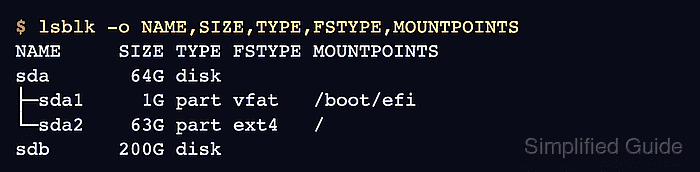
$ lsblk -o NAME,SIZE,TYPE,FSTYPE,MOUNTPOINTS
NAME     SIZE TYPE FSTYPE MOUNTPOINTS
sda       64G disk
├─sda1     1G part vfat   /boot/efi
└─sda2    63G part ext4   /
sdb      200G disk
MOUNTPOINTS shows every active mount path for a device. A blank FSTYPE on a whole disk is normal when the filesystem lives on a partition below it.
- Show only whole-disk entries.
$ lsblk -d -o PATH,MODEL,TRAN,SIZE,TYPE
PATH     MODEL                TRAN   SIZE TYPE
/dev/sda Virtual disk         sata    64G disk
/dev/sdb USB Flash Drive      usb    200G disk
Virtual machines, cloud instances, and USB bridges can show generic or blank MODEL and TRAN fields. Add SERIAL to the column list when the hardware exposes a disk serial number.
- Inspect one disk directly.
$ lsblk /dev/sda -o PATH,SIZE,TYPE,FSTYPE,MOUNTPOINTS
PATH      SIZE TYPE FSTYPE MOUNTPOINTS
/dev/sda   64G disk
/dev/sda1   1G part vfat   /boot/efi
/dev/sda2  63G part ext4   /
Replace /dev/sda with the disk path from the earlier inventory. The partition paths from this output are the paths passed to tools such as mount, fsck, or blkid.
- Read filesystem identifiers from the partitions.
$ sudo blkid /dev/sda1 /dev/sda2
/dev/sda1: UUID="058E-72AC" BLOCK_SIZE="512" TYPE="vfat" PARTUUID="b21e1324-43fb-436f-b519-8a75581b2a1b"
/dev/sda2: UUID="c7f70fb1-ad04-47c0-8aa2-873cbef19d05" BLOCK_SIZE="4096" TYPE="ext4" PARTUUID="ef3ea15d-b212-4c1c-b1df-09f77e3fb2b2"
UUID identifies the filesystem, while PARTUUID identifies the partition entry itself. The blkid manual notes that non-root users can receive cached unverified data, so use sudo when exact metadata matters.
- Check mounted filesystem usage for the active mount points.
$ df -hT / /boot/efi
Filesystem     Type  Size  Used Avail Use% Mounted on
/dev/sda2      ext4   62G   11G   48G  19% /
/dev/sda1      vfat  1.1G  6.4M  1.1G   1% /boot/efi
df reports only mounted filesystems. Use lsblk or blkid when unmounted partitions also need to appear in the inventory.