How to format a disk or partition in Linux
Formatting a disk or partition in Linux replaces the filesystem metadata on the selected target so the device can be mounted as a fresh volume. The same action also makes the previous filesystem difficult to recover, so the safest starting point is a confirmed device path and a clear reason to erase it.
Linux exposes storage as block devices such as /dev/vdb and /dev/vdb1. lsblk shows the disk, partition, existing filesystem type, label, and mount point; wipefs shows the signatures that will be replaced; mkfs.ext4 writes the new ext4 filesystem; and blkid reads the label, type, and UUID after the format finishes.
This command flow formats one confirmed target as ext4 and assigns a filesystem label. Do not run the format command against the root filesystem, a boot partition, or a volume still serving applications. If the target cannot be unmounted cleanly, continue from maintenance media or another host before writing the new filesystem.
Steps to format a disk or partition in Linux:
- List the available block devices to identify the exact disk or partition that should be formatted.
$ lsblk -o NAME,SIZE,TYPE,FSTYPE,LABEL,MOUNTPOINTS
NAME          SIZE TYPE FSTYPE LABEL MOUNTPOINTS
nvme0n1       100G disk
|-nvme0n1p1   512M part vfat         /boot/efi
`-nvme0n1p2  99.5G part ext4         /
vdb           128M disk
`-vdb1        127M part vfat   USB   /mnt/usb
Use a partition path such as /dev/vdb1 when only one volume should be reformatted. Use a whole-disk path such as /dev/vdb only when the filesystem should live directly on the disk without partitions.
- If the target from the previous step is mounted, unmount it before writing the new filesystem.
$ sudo umount /dev/vdb1
No output usually means the unmount completed cleanly.
Related: How to unmount a disk in Linux
- Inspect any existing signatures on the target before overwriting them.
$ sudo wipefs --output DEVICE,OFFSET,TYPE,UUID,LABEL /dev/vdb1
DEVICE OFFSET TYPE UUID      LABEL
vdb1   0x36   vfat 2024-AFF0 USB
vdb1   0x0    vfat 2024-AFF0 USB
vdb1   0x1fe  vfat 2024-AFF0 USB
If wipefs returns no data rows, the target does not currently expose a filesystem or partition-table signature that wipefs can identify.
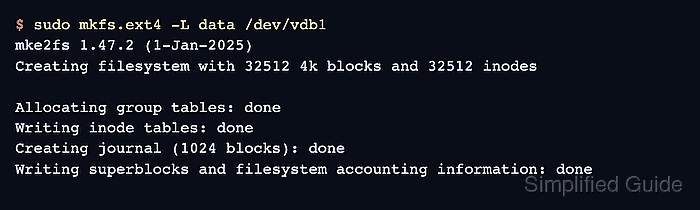
- Create the new ext4 filesystem and assign a label while writing the metadata.
$ sudo mkfs.ext4 -L data /dev/vdb1
mke2fs 1.47.2 (1-Jan-2025)
Creating filesystem with 32512 4k blocks and 32512 inodes

Allocating group tables: done
Writing inode tables: done
Creating journal (1024 blocks): done
Writing superblocks and filesystem accounting information: done
This step overwrites the previous filesystem metadata on the selected target. Replace data with the label required for that filesystem, and use a different filesystem-specific mkfs helper only when another filesystem type is intentionally required on the same confirmed device path.
- Read the new filesystem metadata directly from the device to confirm that the format completed.
$ sudo blkid /dev/vdb1
/dev/vdb1: LABEL="data" UUID="e900bee5-aaf1-4632-97f1-faf41c4af558" BLOCK_SIZE="4096" TYPE="ext4" PARTUUID="30cd63c9-01"
The TYPE=“ext4” and LABEL=“data” fields confirm the new filesystem. The UUID value is the stable identifier normally used later in /etc/fstab for persistent mounts.