How to create a RAR archive in Linux
RAR archives are still common when a recipient asks for a .rar file or an existing handoff process expects that format. On Linux, the rar command can pack a directory tree into one compressed file without changing the source files.
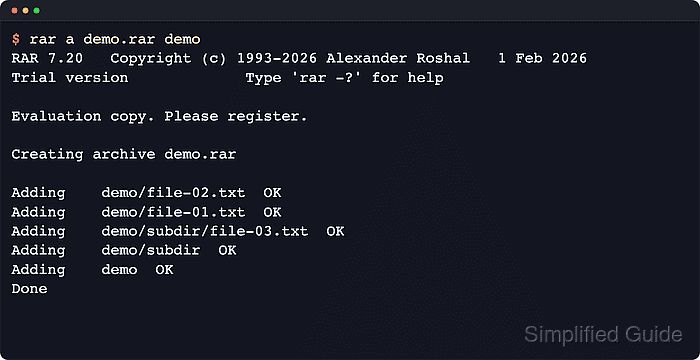
The a action adds files or directories to the archive named immediately after it. Supplying a directory stores its contents recursively, and running the command from the parent directory keeps the archived path names predictable for later extraction.
Linux package and CPU-architecture support differs by distribution, so start after a working rar command is available from a distribution package or the RARLAB command-line build. Use rar l and rar t before sending the file; an archive that merely exists can still have missing paths or unreadable compressed data.
Related: How to extract RAR files in Linux
Steps to create a RAR archive in Linux:
- Change to the parent directory that contains the files or folders to store.
$ cd /tmp/rar-demo
Paths passed after the archive name are stored relative to the current directory. Starting from the nearest useful parent keeps the archived path names predictable.
- Create the archive by naming the new .rar file first, followed by the file or directory paths to add.
$ rar a demo.rar demo

RAR 7.22   Copyright (c) 1993-2026 Alexander Roshal   1 May 2026
Trial version             Type 'rar -?' for help

Evaluation copy. Please register.

Creating archive demo.rar

Adding    demo/subdir/file-03.txt                                         35%  OK
Adding    demo/file-02.txt                                                64%  OK
Adding    demo/file-01.txt                                               100%  OK
Adding    demo/subdir                                                      OK
Adding    demo                                                             OK
Done
The a action adds files recursively when a directory name is supplied, so demo stores both its files and the nested subdir content in one archive.
- Confirm that the new file is a RAR archive before moving or uploading it.
$ file demo.rar
demo.rar: RAR archive data, v5
The file output checks the archive format before the archive is copied to another system or attached elsewhere.
- List the archive contents without extracting anything.
$ rar l demo.rar

RAR 7.22   Copyright (c) 1993-2026 Alexander Roshal   1 May 2026
Trial version             Type 'rar -?' for help

Archive: demo.rar
Details: RAR 5

 Attributes       Size     Date    Time   Name
----------- ----------  ---------- -----  ----
 -rw-r--r--          6  2026-06-13 10:15  demo/subdir/file-03.txt
 -rw-r--r--          5  2026-06-13 10:15  demo/file-02.txt
 -rw-r--r--          6  2026-06-13 10:15  demo/file-01.txt
 drwxr-xr-x          0  2026-06-13 10:15  demo/subdir
 drwxr-xr-x          0  2026-06-13 10:15  demo
----------- ----------  ---------- -----  ----
                    17                    5
rar l shows the stored paths and sizes without writing files to disk, so the expected directory tree can be checked before extraction.
- Test the finished archive to verify that all entries can be read successfully.
$ rar t demo.rar

RAR 7.22   Copyright (c) 1993-2026 Alexander Roshal   1 May 2026
Trial version             Type 'rar -?' for help

Testing archive demo.rar

Testing     demo/subdir/file-03.txt                                       36%  OK
Testing     demo/file-02.txt                                              58%  OK
Testing     demo/file-01.txt                                              80%  OK
Testing     demo/subdir                                               OK
Testing     demo                                                      OK
All OK
An All OK result means rar read the archive metadata and compressed file data without errors.